
How to Explain Your AI Scribe to Clients (Free Scripts)

Zanda co-founder Damien Adler remembers when practice records first moved online. “We used to avoid using the term ‘cloud computing’ because people had an image of data floating around, unsecured,” he says.
Today, most clients never think twice about the cloud. “It turns out the people managing that infrastructure are doing it at scale, and they know what they’re doing,” says Paul Adler, Zanda co-founder and Chief Technology Officer. “AI is going down the same path.” Our own State of AI Adoption in Allied Health report found that practitioners are well on their way, with more than 60% already using AI as of May 2026.
This guide covers how to explain your AI scribe to clients in plain language, with scripts you can use word for word, clear answers to the questions clients ask most (what the scribe hears, where their words go, and who can see them), and a free one-page script sheet. For consent forms and requirements, see our guide to AI consent for allied health practitioners.
Start with what your AI scribe does
An AI scribe listens during a session, turns the conversation into a written transcript, and uses that transcript to draft a session note in your usual format. You then review and edit the note before it goes into the client record, so every word in the file is one you approved.
Some clients hear “AI” and picture something far bigger than a note-taking tool, so plain terms like “digital scribe,” “talk-to-text,” or “note-taking assistant” can make a helpful first impression, especially with clients who don’t spend much time around technology.
When you’re deciding how to tell clients you use AI, the simplest approach is to explain what the tool does first, then name it:
"I use a digital scribe that turns our conversation into a draft of my notes. It uses AI, and I check every note myself before it goes in your file."
Scripts for explaining your AI scribe
These scripts cover how to talk to clients about AI scribes at each stage, from the first session to a particularly sensitive one. Each is a starting point, so adjust the wording until it sounds like you (and matches what your tool does).
Quick introduction for new clients
Use this at the start of a first session, once the client has had a moment to settle in.
"Before we start, I want to let you know I use an AI scribe to help with my notes. It listens to our session and drafts a note, and I review everything before it goes in your record. Are you comfortable with me using it today?"
A low-tech explanation
For clients who don’t use much technology, compare the scribe to something they already know.
"It works a lot like the talk-to-text on your phone. It writes down what we say, then turns that into a first draft of my notes, which I read and correct myself."
How it helps your client
This script focuses on what the scribe means for the client, and Paul puts the upside simply: “A practitioner can concentrate fully on the session and not spend half an hour typing up notes afterward. There are no losers in that.”
"It drafts my notes while we talk, so I can give you my full attention during our session, and your notes are ready on time."
A written version for your intake email or client portal
Putting it in writing before the first session gives clients time to read it, think it over, and come to you with questions.
"At [practice name], we use [tool name], an AI scribe that helps us write session notes. With your permission, it listens during your session and drafts a note, which your practitioner reviews and edits before saving it to your record. [Add one line on how your tool handles audio, transcripts, and AI training.] If you'd prefer we didn't use it, just let us know."
Before a sensitive session
Some sessions cover ground a client may not want transcribed, so offer a pause whenever your tool and workflow make that easy.
"If there's anything you'd like to talk through with the scribe switched off, just tell me and I'll pause it."
Telling existing clients before you switch it on
Clients you already see should hear about the scribe before their next appointment, so they know what to expect when they arrive.
"Hi [client name], I've started using an AI scribe to help with my session notes. It listens during our session and drafts a note, which I review before it goes in your record. I'll check with you at your next appointment, and you're welcome to say no."
Get all of these on one page. Download the free AI scribe script sheet.
How to answer common client concerns
Most AI scribe patient concerns come back to the same handful of worries, and each one has a short, honest answer once you know how your tool works. Each response below includes [placeholders] for the details that vary from tool to tool, so check them against what your vendor has told you before you use them.
”Is my information private?”
This question usually touches on three things at once: who can see the information, how it’s protected, and where it lives. A good answer covers all three in plain language.
"Your information is protected the same way as the rest of your health record. It's encrypted, only [I / our clinical team] can see it, and it stays in [country or region]."
”Will my data be sold?”
Paul draws a clear line between the AI built for healthcare and the free tools people use at home: “These companies are trying to grow, and there’s so much competition between them. How do they get better? They learn off the content coming in. There’s a place for that, but not in your healthcare data.”
Zanda never uses client information to train AI models, and the AI service doesn’t keep clinical content once it finishes a task. AI scribes built into practice management software often follow similar rules, but check your vendor’s privacy policy to confirm.
"No. [Tool name] is built specifically for healthcare and meets strict privacy and security standards, including [HIPAA, GDPR, and ISO 27001]. Your information stays private, and the company never sells it or uses it to train AI."
”Are you keeping a recording?”
The word “recording” means different things to different people, so it helps to separate the three pieces of information an AI scribe works with. Here’s how that looks with BizzyAI, the AI scribe built into Zanda:
| What it is | How long it’s kept | Who can see it | |
|---|---|---|---|
| Audio | The sound of your session, picked up by the microphone | Never saved. BizzyAI streams the audio and processes it in memory to create the transcript. | No one, since the audio is never stored |
| Transcript | The written version of what was said | Your practice chooses 1, 7, or 30 days, or keeps transcripts until you remove them (the default) | Approved users in your practice who can access that client’s notes (clients can’t see transcripts in the Client Portal) |
| Final note | The session note you review, edit, and save | Like any other session note in Zanda, under your usual record-keeping requirements | You and the team members you give access to |
Once you know how your tool handles each piece, you can answer the question in a few sentences:
"I don't keep a recording of our session. The scribe turns what we say into text, I use that text to draft your note, and the scribe deletes the transcript after [number] days. Your final note stays in your record like any other session note."
If your tool does save audio, say so, and tell clients how long it keeps the recording and who can access it.
”I don’t want to support big AI companies.”
This concern comes from a client’s values, so acknowledge it as reasonable, answer honestly if the client asks which company is behind the tool, and make the choice easy. Paul explains how AI built for healthcare differs: “It’s a very valid concern. The AI inside Zanda is very different from the AI you get in your own ChatGPT… or Gemini. You’re getting the intelligence of the model, but you’re also getting privacy, security, and safety."
"That's a fair concern. The scribe I use is [built into my practice software / designed for healthcare], so your information stays inside that system and out of AI training. If you'd still rather I didn't use it, that's completely fine."
"What about the environmental impact?”
Keep this one brief and honest, and skip any figures you can’t back up, since estimates of AI energy and water use vary widely.
"That's a fair question. AI does use energy, and I don't have exact figures for the tool I use. It's completely up to you, and you can always change your mind later."
”Will it make mistakes?”
Yes, sometimes, which is exactly why you review every note before you save it. Many scribes write one continuous transcript without noting who said what, so a careful read matters most in couples, family, and group sessions.
"It can get things wrong now and then, so I read and correct every note before I save it. Nothing goes in your record until I've checked it."
”Is AI making decisions about my care?”
Clients who ask this want to hear that a person is still in charge, so separate the paperwork from the care itself.
"No. It only helps with the paperwork. You and I make every decision about your care together."
Ways to offer clients a choice
Practitioners offer the choice in different ways, and each approach suits a different kind of practice and client.
| Approach | What the client hears | What it offers | Where it needs extra care |
|---|---|---|---|
| Statement at the visit | ”I use an AI scribe in my sessions, and you’re welcome to opt out.” | A quick, simple start to every session | Mention it before you start the scribe, and make saying no easy |
| A set of options | A few choices, such as using the scribe with a short transcript retention period or not using it at all | More control for clients who want it, which builds trust | Only offer options your tool and workflow can support |
| Condition of care | ”I use an AI scribe in every session. If that doesn’t feel right for you, I can connect you with a colleague who works without one.” | One consistent way of working across every session | Check your professional requirements, and take extra care with existing clients and mental health services |
Some practitioners use condition of care, and Damien sees the appeal of a confident, consistent approach: “This is my view, but I think clinicians should be more assertive, more confident… If [the patient] wants to see me, that’s fine, but I work in a way that is efficient, and I’m not going to waste my time doing things that are outdated.”
The right mix depends on your profession, your clients, and the professional body you answer to. Once you’ve chosen an approach, put it in writing in your intake paperwork, and use our AI consent guide for the wording.
What to say when a client says no
A client saying no is a normal part of offering a choice, so keep your response calm and short.
"No problem at all. I'll keep it switched off, and you can let me know if you ever change your mind."
From there, you have a few options for protecting your time:
- Continue with manual notes: Carry on with the session and write the notes yourself.
- Set aside extra time: Build an extra 15 minutes into your schedule to complete the notes.
- Refer the client out: Refer the client to a colleague who works the way they prefer.
Practitioners can generally decide which clients they take on, but before referring anyone out, check your professional requirements, take extra care with existing clients, and make sure your consent wording matches your approach.
Some clients will prefer no AI at all, so check every tool that touches their notes. Practice software can include features such as automatic appointment summaries, which run separately from the scribe.
Questions to ask your AI scribe vendor
You can only give clients clear answers once your vendor has given clear answers to you. Paul suggests starting with the basics: “Look at data retention and training, and understand what’s happening there. A consumer ChatGPT subscription is not appropriate for healthcare data.”
Ask your vendor:
- Does it save audio, and if so, for how long?
- How long does it keep transcripts, and who controls that setting?
- Who can access transcripts and draft notes?
- Which third parties process the data?
- Does it use client data, or de-identified data, to train or improve AI models?
- Does it ever sell client data?
- Which security and privacy certifications does it hold, such as ISO 27001 (an international standard for information security)?
For a fuller checklist, see Paul’s guide to choosing an AI platform for allied health.
The number of companies handling your data matters too. Paul says it shaped how BizzyAI came together: “We decided to build it ourselves because we could guarantee the way the information was processed. The more groups involved with your practice’s data, the higher the chance of something going wrong. You’re only as strong as your weakest link.”
How to explain BizzyAI to clients
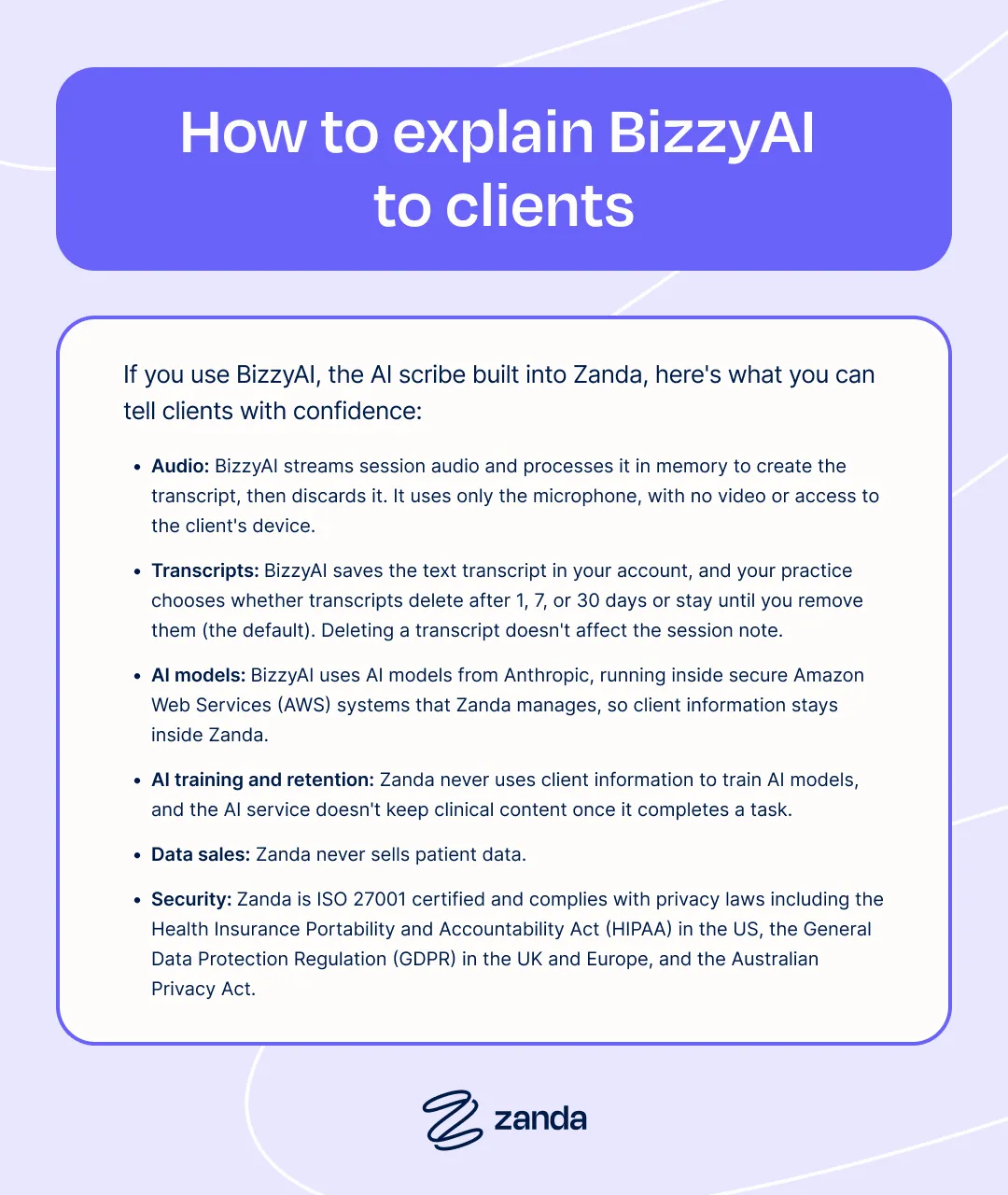
If you use BizzyAI, the AI scribe built into Zanda, here’s what you can tell clients with confidence.
- Audio: BizzyAI streams session audio and processes it in memory to create the transcript, then discards it. It uses only the microphone, with no video or access to the client’s device.
- Transcripts: BizzyAI saves the text transcript in your account, and your practice chooses whether transcripts delete after 1, 7, or 30 days or stay until you remove them (the default). Deleting a transcript doesn’t affect the session note.
- AI models: BizzyAI uses AI models from Anthropic, running inside secure Amazon Web Services (AWS) systems that Zanda manages, so client information stays inside Zanda.
- AI training and retention: Zanda never uses client information to train AI models, and the AI service doesn’t keep clinical content once it completes a task.
- Data sales: Zanda never sells patient data.
- Security: Zanda is ISO 27001 certified and complies with privacy laws including the Health Insurance Portability and Accountability Act (HIPAA) in the US, the General Data Protection Regulation (GDPR) in the UK and Europe, and the Australian Privacy Act.
Zanda chose a healthcare-grade setup for BizzyAI, even though it’s the more expensive route. Paul walks through the trade-off: “The data never leaves Zanda. That costs a lot more to run, 10 to 20 times the price. But it means you can put confidential information in there, and it’s not going to be leaked, shared, or used for training.”
You can also share our client guide, Understanding How Your Practitioner Uses Note-Taking AI, directly with clients.
Make the conversation part of your routine
The cloud went from a word practitioners avoided to one most clients never think about, and AI scribes are well on their way down the same path. Knowing how to explain your AI scribe to clients clearly and confidently helps every client get there sooner, and it gives you more of what Paul calls the biggest benefit of all: “Who doesn’t want more time?”
Get every script on one page. Download the free AI scribe script sheet. Start a free Zanda trial to try it in your own practice, and get BizzyAI AI Pro at 50% off until the end of the year.
FAQ
How do I tell new clients I use an AI scribe?
Mention it in writing in your intake paperwork, then again at the start of the first session with a short script, such as: “I use an AI scribe that listens to our session and drafts my notes, and I review everything before it goes in your record.”
What is the simplest way to explain an AI scribe?
“It listens to our session and drafts a note, and I check and edit that note before saving it.”
Can I call an AI scribe something else?
Yes. Terms like “digital scribe” and “talk-to-text” can help clients who are new to AI, but still mention that the tool uses AI so clients have the full picture.
What should I say if a client asks whether I’m recording them?
Explain the difference between the audio, the transcript, and the final note for your tool, including whether it saves audio and how long it keeps transcripts.
What should I say if a client is uncomfortable with AI?
Acknowledge the concern, explain what the scribe does, and offer the choice. For how to document their decision, see our AI consent guide.
Should I tell existing clients before I start using an AI scribe?
Yes. Send a short message before their next appointment, then check in person at the start of the session, so they know what to expect.