
AI Scribes for Allied Health: How They Work, What They Cost, and Whether They're Worth It

Your last client left at 5:30, and you’re still at your desk at 7:45 finishing the day’s notes, trying to remember what your 2pm said while you were busy typing up your 1pm. For plenty of allied health practitioners, that’s just a regular weeknight.
Research conducted by Zanda on AI adoption in allied health found that nearly one in five practitioners (18.6%) spend nine or more hours a week on documentation alone, and 47% say those requirements have grown over the past three years. Practitioners are meeting that workload with AI, as more than 60% now use it in some form and 76% of those users put it to work drafting clinical notes. Inside Zanda, use of our AI note-taking tool grew 88.2% in the past year. This guide walks through how AI scribes work, what they cost across every pricing model, and how to run the numbers on whether one pays for itself in your practice.
AI scribe cost at a glance
Most AI scribes cost between $0 and $150 per practitioner per month, depending on the pricing model, with free tiers for testing, per-session pricing (around $1 a session) for variable caseloads, and flat subscriptions from $39 to $150. Scribes built into practice software, like BizzyAI: Scribe in Zanda, put notes and client records under one bill.
In this guide:
- What is an AI scribe?
- How does an AI scribe work?
- How much does an AI scribe cost?
- The hidden costs of AI scribes
- Is an AI scribe worth it? How to calculate your ROI
- How AI scribes work across allied health disciplines
- Are AI scribes HIPAA compliant? Privacy, security, and consent
- What to look for in an AI scribe: a checklist
- How BizzyAI: Scribe works inside Zanda
- AI scribe FAQs
What is an AI scribe?
An AI scribe is software that listens to a client session (with the client’s consent), transcribes the conversation, and drafts a structured clinical note in the format you choose, whether that’s SOAP, DAP, BIRP, or a custom template you’ve built for your practice. You stay focused on the person in front of you, then review, edit, and sign off on the note once the session ends.
AI scribes sit in a growing family of documentation tools, and they often get lumped in with dictation software and speech-to-text apps (which work differently). The difference comes down to who does the work of turning a session into a clinical note.
AI scribe vs. dictation vs. speech-to-text vs. note templates
| Tool | How it works | What you still do | Best for |
|---|---|---|---|
| AI scribe | Listens to the full session and drafts a structured note in your template | Review, edit, and sign off | Full sessions where you want to stay present with the client |
| Dictation | You recap the session out loud afterward, and software or a transcriptionist types it up | Recall and narrate the session, then format and edit the note | Practitioners who prefer to talk through their notes |
| Speech-to-text | Converts spoken words into a word-for-word transcript | Turn the raw transcript into a clinical note yourself | Quick memos and short note entries |
| Note templates | Pre-built structure with headings, fields, and prompts | Write every section yourself | Keeping notes consistent across a practice |
Templates and AI scribes work best as a pair, since the scribe drafts directly into the structure you’ve set up, so the more your template reflects how you practice, the closer the first draft lands to a note you’d have written yourself.
Standalone apps vs. scribes built into practice software
Standalone AI scribes run as their own app, separate from the software you use for scheduling, billing, and client records. Many offer free tiers or trials, and they work alongside almost any setup. However, the finished note then needs to be copied into your practice software or sent through an integration before it lands in the client’s file.
Built-in AI scribes live inside your practice management software, so you start recording from the client’s note and the draft saves straight to their record, with the same login and same security setup. Both approaches produce a clinical note at the end of the session, though a built-in scribe skips the extra steps of moving it into the client record. We’ll put numbers on those steps in the hidden costs section.
How does an AI scribe work?
Most AI scribes follow the same basic flow from the moment a client sits down to the moment the note lands in their file:
- Get client consent. Let your client know you use an AI scribe, what happens to the recording and transcript, and how they can opt out if they’d prefer (our guide to AI consent includes sample wording).
- Start recording. Open the scribe at the start of the session on your phone, tablet, laptop, or desktop, whether you’re seeing the client in person or over telehealth.
- Let the scribe transcribe. The scribe captures the conversation in the background while you give the client your full attention.
- Get a drafted note. Once the session ends, the scribe pulls out the clinically relevant details and sorts them into your chosen template.
- Review, edit, and sign off. You check the draft for accuracy, add anything the recording couldn’t capture (like hands-on techniques, measurements, or your clinical reasoning), and sign the note, since accountability for the record always stays with you.
- Save to the client record. The finished note goes into the client’s file, ready for their next appointment.
Step five matters more than it looks, since a scribe records what was said in the room while your clinical judgment (why you chose a particular intervention, what you’re watching for next time) still comes from you. One Australian psychologist and practice owner in our research summed it up neatly: “AI documents conversations, not interventions.” The review step is where you add that layer, and it usually takes a few minutes rather than the full write-up.
For chiropractor Kathryn Theodosis, the whole flow fits between appointments. While her next client gets settled in, she reviews the note from the session before. Her edits are usually small, mostly adding the chiropractic contact points (the specific spots where she applies pressure during an adjustment), which she avoids calling out loud mid-treatment so the session can stay calm and quiet. As she puts it, “When you get to the end of your day… your notes are basically done.”
How much does an AI scribe cost?
AI scribe pricing ranges between $0 and $150 per practitioner per month, and where a tool lands in that range comes down to how it charges, whether that’s a free tier with caps, a per-session fee, a flat monthly subscription, or a feature included in the practice software you already pay for.
| Pricing model | Typical price | Examples | Best for | Watch-outs |
|---|---|---|---|---|
| Built into practice software | Included in your plan, with an optional upgrade for unlimited use | BizzyAI: Scribe (four Scribe appointments a month on every Zanda plan, unlimited with AI Pro at US$19 per user per month) | Practitioners who want the convenience and extra security of having notes, scheduling, and client records in one place without needing to copy/paste | Check what the included tier covers and what the upgrade adds |
| Free tiers | $0 | Heidi free tier (unlimited transcription, capped at 10 Pro Actions a month) | Testing a scribe before committing | Caps on notes or features, compliance coverage (like a BAA) often limited to paid plans |
| Usage-based or per-session | About $1 per session | Upheal ($1 per session, capped at $69 a month); Blueprint ($0.99 to $1.49 per session) | Practitioners with variable caseloads | Costs rise with volume, so check for monthly caps |
| Flat monthly subscription | $39 to $150 per practitioner per month | Freed ($39 Starter capped at 40 notes a month, up to $119 for Premier); Heidi Clinician ($150 per user per month, billed annually) | Full-time practitioners with steady session volume | Note caps on lower tiers, annual billing commitments, paying the same fee in quieter months |
| Enterprise | Several hundred dollars per provider per month | Custom quotes, usually on annual contracts | Large health systems and medical groups | Long contracts, built for medical settings rather than allied health |
Prices last verified October 2026. AI scribe pricing changes often, so check each vendor’s pricing page before you commit.
When comparing AI scribe pricing, the lowest sticker price doesn’t always make for the lowest monthly bill, since a per-session tool can overtake a flat subscription in a busy month (and a free tier can nudge you into an upgrade the moment you hit its cap), so it pays to run your own caseload through the ROI math further down.
AI scribe vs. human medical scribe cost
Before AI scribes came along, the main way to hand off documentation was to hire someone to do it, and human medical scribes have long been part of the picture in physician-led practices. In the US, medical scribes usually earn between $17.33 and $23.65 an hour (roughly $32,000 to $42,000 a year for a full-time role), and once you add benefits and overhead, an in-person scribe costs about $36,000 to $55,000 a year per provider. Virtual scribe services bring the rate down to around $15 to $25 an hour, though the practice still carries the work of recruiting, training, and covering for sick days and turnover.
Set against those numbers, even the top self-serve AI tier at $150 a month comes to $1,800 a year, and a built-in option like AI Pro from Zanda (US$19 a month) works out to US$228 a year, which is far less than one week of wages for a part-time human scribe.
The hidden costs of AI scribes
The monthly price on a scribe’s pricing page covers the software, while a handful of smaller costs show up later, in your time, your workflow, and occasionally your next invoice. Knowing them upfront makes it much easier to spot the scribe that fits your practice best:
- Copy-paste time. Standalone scribes produce a note that still needs to reach the client record, and even two minutes of copying, pasting, and reformatting per session adds up to almost an hour a week across 25 sessions. Copying and pasting between systems also introduces a security risk.
- Two logins and two workflows. Switching between a scribe app and your practice software means holding two systems in your head through a busy day (and storing client information in two places, each with its own security setup to check).
- Stacked subscriptions. A standalone scribe sits on top of the practice software you already pay for, so a $99 scribe and a $49 practice management plan come to $148 a month before SMS, telehealth, or any other add-ons.
- Note caps. Lower tiers often cap you at a set number of notes a month (Freed’s Starter plan stops at 40, roughly two a working day), which can push a full-time practitioner into a higher tier within the first few weeks.
- Compliance on the plan you’ll use. Some vendors reserve a signed BAA (the agreement HIPAA requires when a vendor handles client health information) for higher-priced plans, so the cheapest tier may not cover what you need.
- Editing time. A scribe built around medical consults may draft notes that don’t match how a counselor, physical therapist, or speech pathologist documents, and every minute spent rewriting eats into the time it saved you.
Chiropractor Kathryn Theodosis ran into the first two firsthand. She used a standalone AI scribe for a few months before BizzyAI and liked what it did for her notes, though moving between platforms and copying notes across added friction to every session. When Zanda launched BizzyAI, having the scribe built into the software she already used became the deciding factor, and she has since recorded more than 300 sessions with BizzyAI: Scribe, with every note going straight into the client record without a single copy-paste.
Is an AI scribe worth it? How to calculate your ROI
To see what an AI scribe could save you each week, plug your own numbers into this formula:
Minutes saved per note × sessions per week × your hourly rate = the value of your time back each week
Divide the minutes by 60 to get hours, multiply by what an hour of your time is worth (your session rate works well here), then set that weekly figure against what the scribe costs you each month. Our time-saving calculator will run the numbers for you if you’d rather skip the arithmetic.
Example: a solo counselor
Gloria runs a solo counseling practice and sees 20 clients a week at $120 a session, and her notes have been creeping into her evenings for months. With an AI scribe drafting each note, she saves about 10 minutes per session, which comes to 200 minutes (roughly 3.3 hours) a week, or around $400 worth of her time.
On the Zanda Starter plan with AI Pro, Gloria pays US$48 a month for her practice software and unlimited Scribe together, while the time she gets back is worth around $1,700 a month. She could put those hours toward finishing her day on time, or toward two or three extra sessions a week (bringing in another $1,000 to $1,500 a month) if she wants to grow her caseload.
Example: a physical therapist in a group practice
Mark works as a physical therapist in a five-practitioner clinic, seeing 30 clients a week at $100 a session. His notes are shorter than Gloria’s, so the scribe saves him about eight minutes per session, which still adds up to four hours a week (around $400 of his time) and roughly 17 hours a month.
Scale that across the clinic, and five practitioners on the Zanda Growth plan with AI Pro cost the practice US$260 a month combined (practice software and unlimited Scribe included), while together they get back around 20 hours a week, which is the equivalent of half a full-time work week freed up for clients, team meetings, or simply leaving on time.
What our research says about time savings
Our research on AI adoption in allied health shows that consistency drives the biggest returns. Among practitioners who use AI daily, 71% cut their documentation time by 26% or more, compared with 44% of weekly users and 23% of occasional users, while the 12.7% who saw no measurable change tended to be those who tried AI a few times without building it into their workflow.
For a practitioner spending 6 to 8 hours a week on notes (which describes nearly a quarter of respondents), a 26% reduction frees up roughly 1.5 to 2 hours every week, and practitioners in the 9+ hours group (18.6% of respondents) stand to get back well over two. That’s why the included Scribe appointments on every Zanda plan make a good starting point for a trial run, while AI Pro suits practitioners ready to make the scribe part of every session.
Kathryn Theodosis has seen the payoff in her own caseload, estimating she now sees 15 to 20% more clients on an average day without extending her hours. Her retention has improved too, since detailed notes make each follow-up visit feel more personal (clients hear their own words reflected back to them). In her words: “Another client no longer means another massive load of admin.”
How AI scribes work across allied health disciplines
Most AI scribe content assumes a short medical consult, with a quick exchange of symptoms and a prescription at the end, while an allied health session might run 50 minutes of nuanced conversation, involve hands-on treatment with long stretches of quiet, or take place on the floor with a four-year-old and a box of toys. The best scribe for your practice depends on how closely it handles the way your discipline works.
AI scribes for therapists and counselors
Therapy and counseling sessions tend to be conversation-heavy and emotionally detailed, which plays to an AI scribe’s strengths, since nearly everything clinically relevant gets said out loud. The bigger question for mental health practitioners is note style, because a person-centered counselor, a CBT therapist, and an EMDR practitioner each document sessions through a different framework, so look for a scribe that drafts into your own templates and lets you shape the tone and structure of each note.
Counselor David Goodman opened his private practice in the UK after turning 70, following a 35-year business career, and by his own account he doesn’t consider himself especially techy. He tried BizzyAI for two weeks after joining a tutorial and found that it saved him time, captured the essence of each session, and matched his person-centered style, and he now adjusts the tone and structure of his notes depending on the approach (person-centered or CBT) and reviews them before each session to stay grounded in the work.
AI scribes for physical therapy and chiropractic
Physical therapy and chiropractic sessions mix conversation with hands-on work, so a scribe captures the history, symptoms, and goals you discuss with your client, while the treatment itself (techniques, contact points, range-of-motion measurements, exercise prescriptions) often happens without much talking. Many practitioners either narrate key details as they work or add them during the review step, and a template with dedicated fields for objective measures and techniques makes that quick to fill in.
Kathryn Theodosis’s nervous-system-centered chiropractic work sits in a niche within her field, where generic clinical language wouldn’t reflect how she practices, and she found the setup surprisingly easy. The more she refines her template, the more closely BizzyAI’s drafts reflect the way she works.
AI scribes for speech pathology and occupational therapy
Speech pathologists and occupational therapists often work with children, which means sessions built around play, movement, and plenty of background noise, plus conversations with parents and caregivers at the start or end of the appointment. A scribe handles those caregiver conversations well (goals, progress at home, concerns raised), while observations like how a child held a pencil or which sounds they produced in a game usually get added during review. Since these disciplines often juggle several note types, from session notes to progress updates and formal reports, a scribe that can draft into different templates saves the most time.
AI scribes for dietitians and other disciplines
Dietitians, podiatrists, osteopaths, massage therapists, and practitioners across the wider allied health space all benefit most from a scribe during intake-heavy sessions, when clients share detailed histories (food recalls, lifestyle habits, medications, previous treatments) that take a long time to type up afterward. Follow-up sessions tend to be shorter, so the time saved per note may be smaller, though it still adds up across a full week of appointments.
Are AI scribes HIPAA compliant? Privacy, security, and consent
AI scribes can be HIPAA compliant, though compliance depends on the vendor, how it handles client data, and sometimes which plan you’re on. Privacy also ranks among the biggest questions practitioners raise about AI, as our research on AI adoption in allied health found, with many wanting clearer answers about where client information goes once a tool processes it.
For any scribe you’re considering, the key things to understand are what happens to the audio recording and transcript, how long the vendor stores them, where that data lives, and whether the vendor uses it to train AI models. Practitioners in the US should look for HIPAA compliance and a signed BAA (Business Associate Agreement), practitioners in the UK and EU should look for GDPR compliance, and Australian practitioners should check how the vendor meets local privacy requirements (the Australian Privacy Principles).
Zanda built BizzyAI to meet the highest standards of security and privacy, including:
- Audio is never stored. It exists only in memory for the few seconds it takes to transcribe, then it’s deleted.
- Audio stays within Zanda infrastructure. Transcription runs on servers Zanda owns and controls, and no audio is sent to a third party or external AI provider.
- Only the text transcript is saved. It’s encrypted, and you decide how long it’s kept through your retention settings.
- Note drafts are generated on AWS, under a Business Associate Agreement and a zero-retention agreement, so nothing is stored once processing finishes.
- Data is encrypted in transit and at rest, and client data is never used to train AI models.
- Zanda holds ISO 27001 certification and meets HIPAA and GDPR requirements.
Questions to ask an AI scribe vendor
- Will you sign a BAA, and is it available on the plan I’m using?
- Where do you store recordings, transcripts, and notes, and for how long?
- Do you use client data to train your AI models?
- Which security certifications do you hold (for example, ISO 27001 or SOC 2)?
- Which privacy regulations do you comply with in my country?
- Does the note go straight into my client records, or do I need to move it between systems?
- Can I delete recordings or transcripts, and how?
How to ask clients for consent
Most clients respond well when you explain the scribe simply and early, ideally at the first session or during intake, so it becomes part of how your practice works rather than a surprise mid-appointment. At a minimum, clients should know which AI tools you use, what happens to their information, and how they can opt out. Here is an example:
“I use an AI tool that listens to our session and drafts my notes, so I can focus on you instead of typing. The recording is processed securely, and you’re welcome to say no at any point without it affecting your care.”
Adding a line about AI to your intake paperwork gives clients a written record too, and our guide to AI consent covers sample wording, intake form language, and how to handle clients who opt out.
David Goodman lets his clients know that he uses BizzyAI, and with their consent, he shares the session notes with them afterward. He sees the notes as a clean, objective summary of the conversation, and some of his clients find reading them grounding. As he describes it: “It’s like giving them a mirror for their mind, and it builds trust.”
What to look for in an AI scribe: a checklist
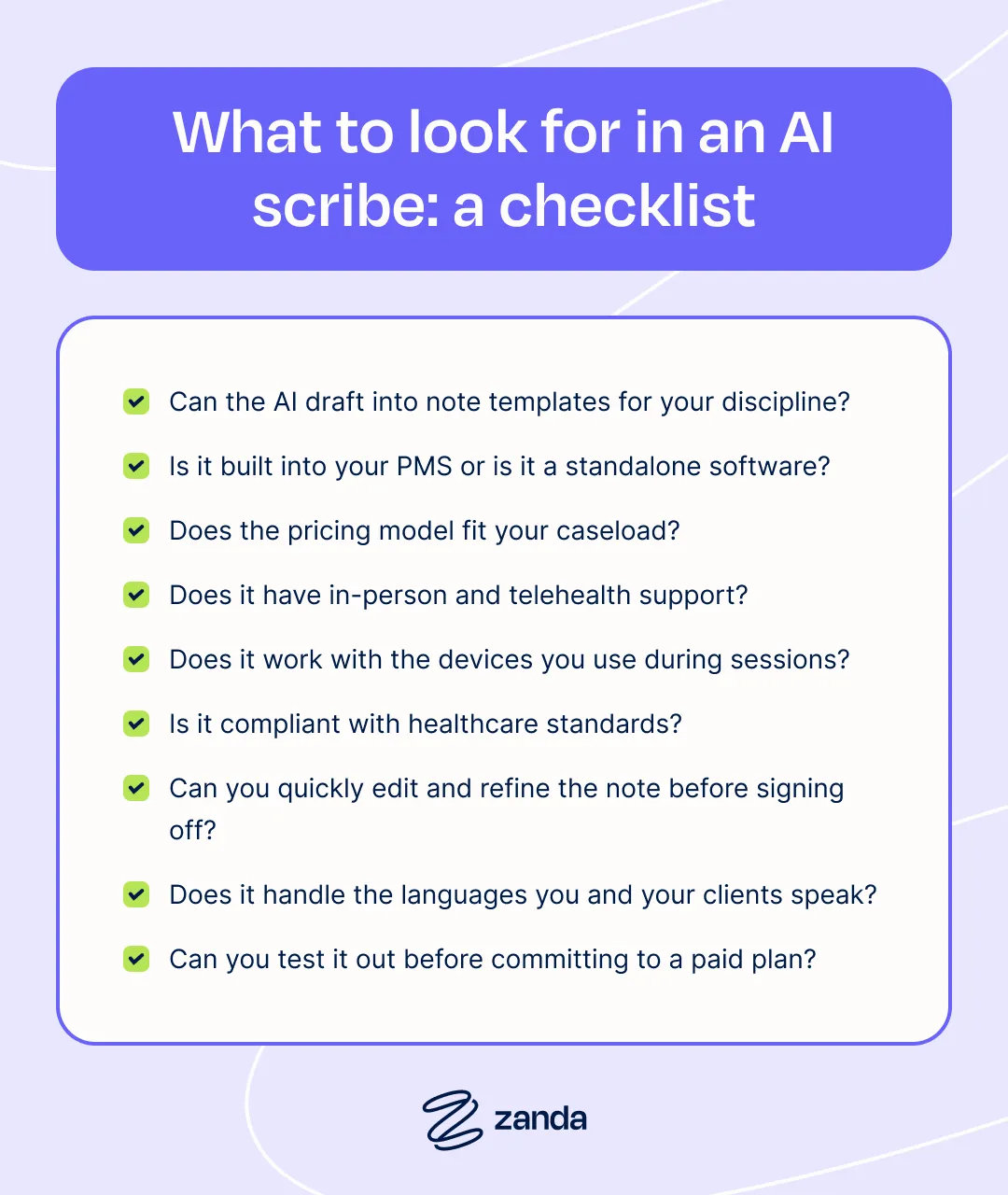
Once you’ve narrowed down a few options, run each one through these questions to find the scribe that fits how you practice:
- Templates for your discipline. Can the scribe draft into your own note templates and match the way your profession documents sessions?
- Built in or standalone. Does the note go straight into your client records, or will you need to move it into your practice software after each session?
- A pricing model that fits your caseload. Does the pricing work for the number of sessions you see each month, including your busiest weeks?
- In-person and telehealth support. Can you use it for both types of appointments without changing your workflow?
- Device flexibility. Does it work on the devices you use during sessions, whether that’s a phone, tablet, laptop, or desktop?
- Compliance on your plan. Does the plan you’ll actually use include HIPAA or GDPR compliance and a signed BAA?
- Editing and refining tools. Can you quickly edit, rewrite, or reformat a draft before you sign off?
- Language support. Does it handle the languages you and your clients speak in session?
- A way to try it first. Can you test it on a few sessions before you commit to a paid plan?
Comparing a few practice management platforms side by side? Our comparison pages break down how Zanda stacks up against other options.
How BizzyAI: Scribe works inside Zanda
BizzyAI: Scribe lives inside Zanda, so every step happens in the same account you already use for scheduling, billing, and client records.
- Get client consent. Let clients know you use BizzyAI before their session, and add a line about AI to your intake forms so the conversation becomes part of your onboarding.
- Start recording from the client’s note. Open the client’s note and click to start Scribe, on your phone, tablet, laptop, or desktop. For telehealth, run your telehealth session in one window and start Scribe from the client’s note in another.
- Let BizzyAI transcribe. Scribe captures the conversation in the background while you focus on your client.
- Get a draft in your template. When the session ends, BizzyAI drafts the note in the clinical template you’ve chosen, whether that’s one from the Zanda library or a template you’ve set up for your practice.
- Review and refine. Edit the draft directly, or use BizzyAI: Write to rewrite or reformat it before you sign off.
- Save to the client record. The finished note saves straight to the client’s file, ready for their next appointment, with no copying between systems.
Every Zanda plan includes AI Core, which comes with four BizzyAI: Scribe appointments a month, BizzyAI: Insights across each client’s last three sessions, and unlimited AI writing and editing. Practitioners who want to use Scribe after every session can add AI Pro for US$19 per user per month, which removes the cap on Scribe appointments and extends Insights across full client histories.
The quickest way to know whether an AI scribe pays for itself is to try one on your own sessions. Start a free 14-day Zanda trial (no credit card required), record a few appointments with BizzyAI: Scribe, and run your numbers through the time-saving calculator to see what it’s worth to your practice.
AI scribe FAQs
How much does an AI scribe cost per month?
Most AI scribes cost between $0 and $150 per practitioner per month. Free tiers cost nothing but come with caps, per-session tools charge around $1 a session, and flat subscriptions run from $39 to $150 a month. Scribes built into practice software, like BizzyAI: Scribe in Zanda, include a set number of Scribe appointments with every plan and offer unlimited use for US$19 per user per month.
Is an AI scribe worth it?
For most practitioners, yes. Multiply the minutes you save per note by your sessions per week and your hourly rate to see the value of your time back. A solo counselor saving 10 minutes on each of 20 weekly sessions gets back about 3.3 hours a week, worth far more than the monthly cost of most scribes.
Are AI scribes HIPAA compliant?
AI scribes can be HIPAA compliant, though it depends on the vendor and sometimes the plan you choose. Look for a vendor that will sign a Business Associate Agreement on your plan, explains where it stores recordings and notes, and confirms it doesn’t use client data to train its AI models.
Do I need client consent to use an AI scribe?
Requirements vary by country and profession, and getting informed consent is best practice everywhere. Let clients know which AI tools you use, what happens to their information, and how they can opt out, ideally at their first session or in your intake forms.
Can an AI scribe write SOAP notes for physical therapy?
Yes. Most AI scribes can draft SOAP notes, and the best results come from a scribe that works from your own template. Physical therapists usually add hands-on techniques, measurements, and exercise prescriptions during the review step, since much of a treatment session happens without much talking.
Do AI scribes work for telehealth sessions?
Most AI scribes work for both in-person and telehealth sessions. With BizzyAI: Scribe, you run your telehealth session in one window and start Scribe from the client’s note in another, so your telehealth notes follow the same workflow as your in-person ones.
Will an AI scribe replace my clinical judgment?
No. An AI scribe captures what was said in the session and drafts a note, while your clinical reasoning, observations, and decisions still come from you. You review, edit, and sign every note, and accountability for the record always stays with the practitioner.
Is there a free AI scribe for therapists?
Yes, a few options exist. Some standalone scribes offer free tiers with caps on features or notes, and every Zanda plan includes four BizzyAI: Scribe appointments a month, so you can try an AI scribe on your own sessions before deciding whether to upgrade to unlimited use with AI Pro.