Adding Telehealth Icons to Appointment Blocks on Calendar
- Click the Settings cog (top right) > Practice > Locations.
- Create a Telehealth location and select the Telehealth Video Call location type.
- Create a practitioner availability for telehealth locations.
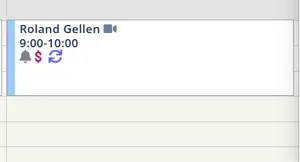
- Create an appointment in the telehealth location. The created appointment will have the telehealth modality of delivery and will show a video camera icon on the appointment block and hover card.
- If clients book new appointments in the Telehealth Video Call locations, those appointments will also have the Telehealth icon on their appointment block.
Adding a Custom Telehealth Appointment Flag
- Click the Settings cog (top right) > Schedule > Appointment Flags > Add Appointment Flags.
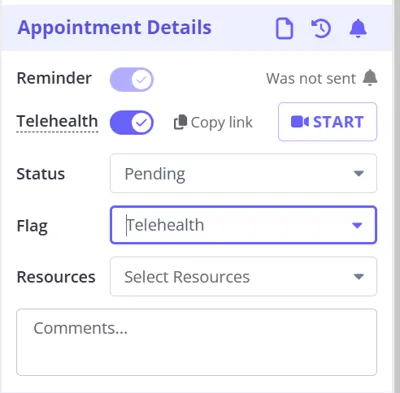
- Add a flag named Telehealth.
- Select a custom colour so that the appointments standout in your Calendar.
- This flag can then be added to telehealth appointments and will change the colour of the appointment background.