
Reporting on Tyro Medicare Claims
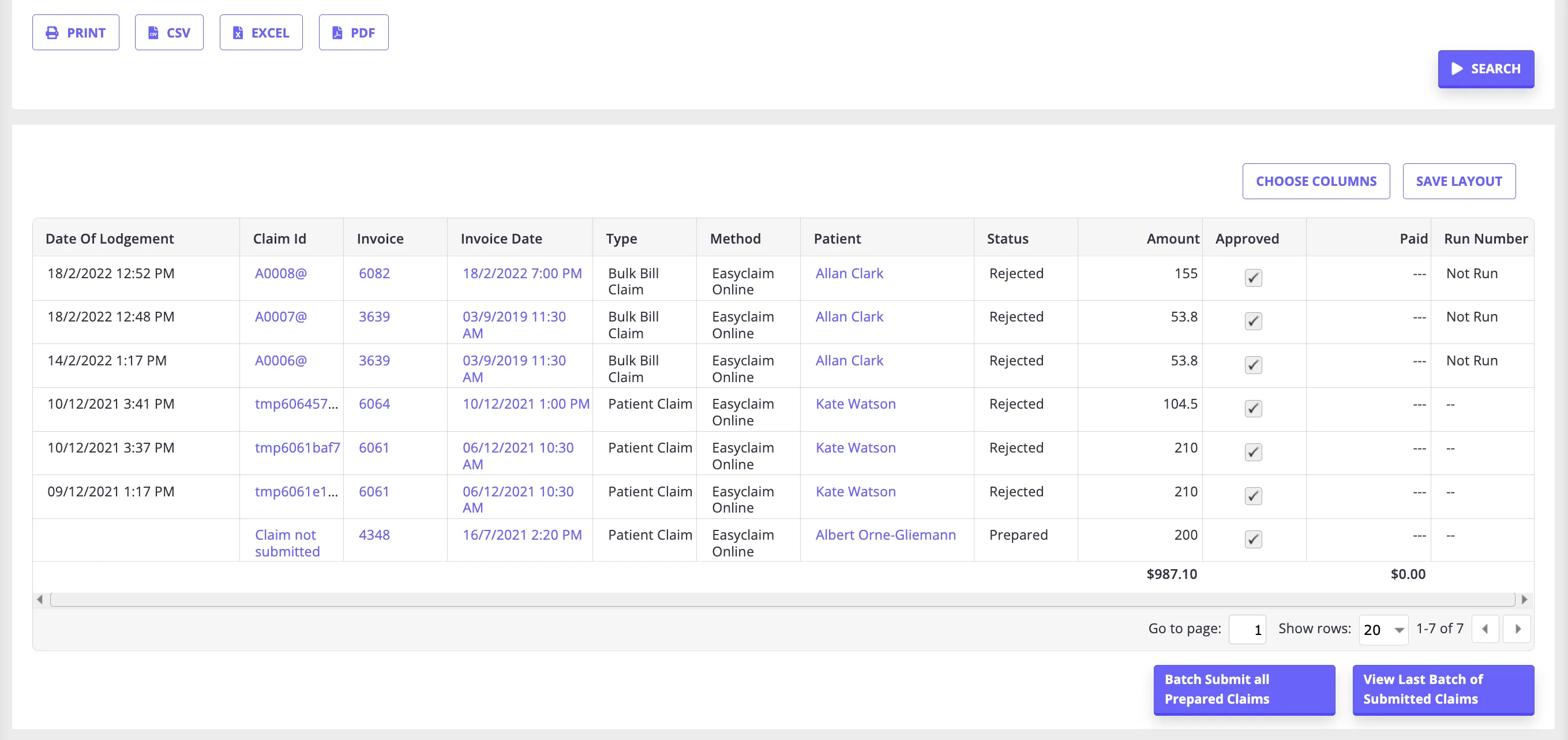
All Medicare claims processed via Zanda, either via the direct integration or via the Tyro terminal, are stored in Tools → Medicare.
- Information on the method the claim was submitted, (Medicare Online or Tyro) is stored in the Method column:
Reporting on Tyro Health Point (Private Health Funds) Claims
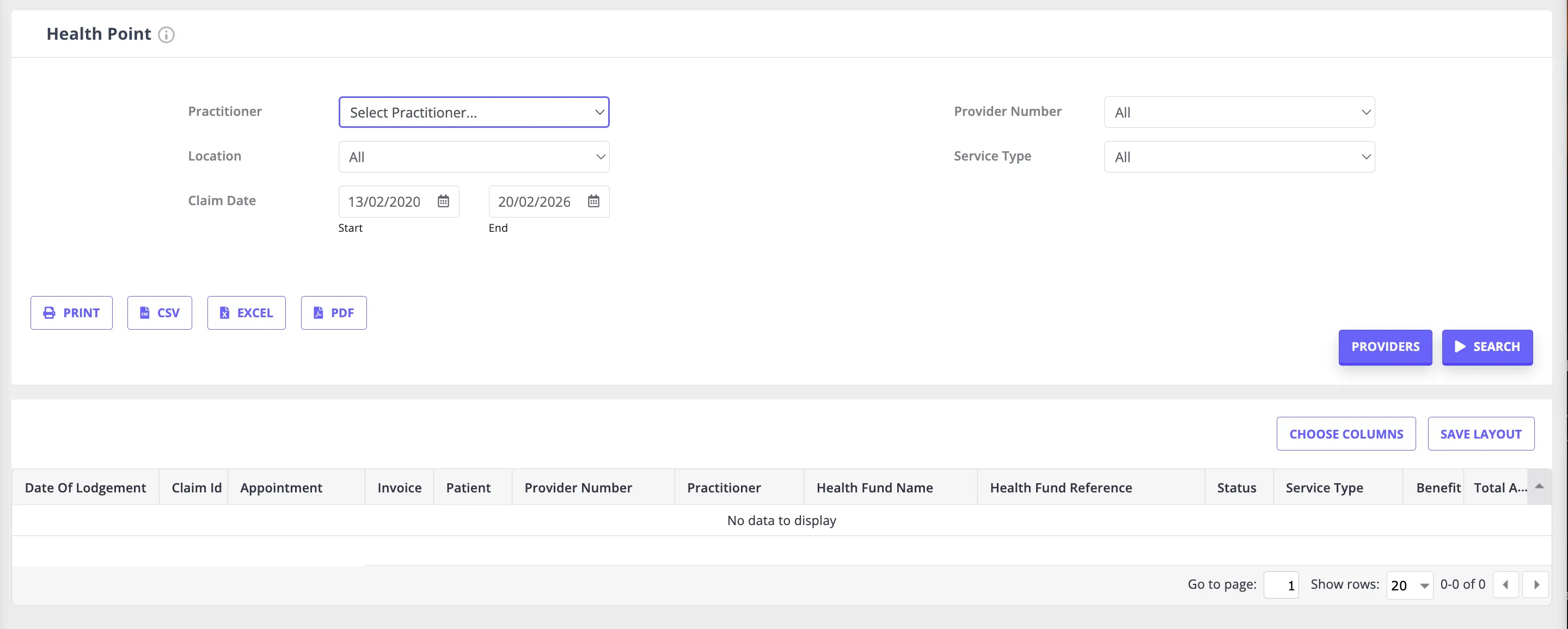
The information about private health fund claims processed via Tyro integration with Zanda is stored in Tools > Health Point.
Once on this page,
- Use the report filters at the top to narrow the search by claim details;
- Click on Search
- The generated list will contain all the relevant information about a claim, including client name, invoice number and date of the appointment the claim was made for, provider name and number, health fund name and reference, claim status and service type, and the benefit amount and the total amount.
Downloading or printing the claims list
Once the list has generated, use the buttons above it to get it in the format you need:
- PRINT opens the list as a printout, which you can also save as a PDF from your browser’s print dialog.
- CSV downloads the list as a CSV file, ready to open in Excel or a similar spreadsheet program.
- EXCEL downloads the list as an Excel file.
- PDF downloads the list as a PDF document.
All four export options include the claims currently shown by your report filters, so narrow the filters first if you only need a subset of claims.