
Please discuss the suggested methods with your accountant first, to make sure the selected option works well with your business processes.
Work through each invoice individually using the methods below, from that invoice’s Edit Invoice page — Zanda doesn’t currently offer a bulk tool to write off or clear multiple invoices’ balances at once (for example, clearing every balance more than 12 months old in a single action).
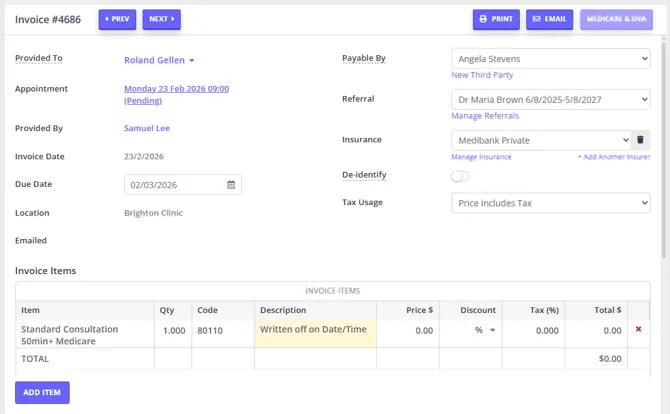
Updating Item Price to 0
- Open the Edit Invoice page
- Update Item Price to 0, OR
- Add the full price amount in the Discount field as currency, OR
- Add the Discount 100%
- Make a note in the Item Description field, such as “$x written off on (date)”.
- Save.
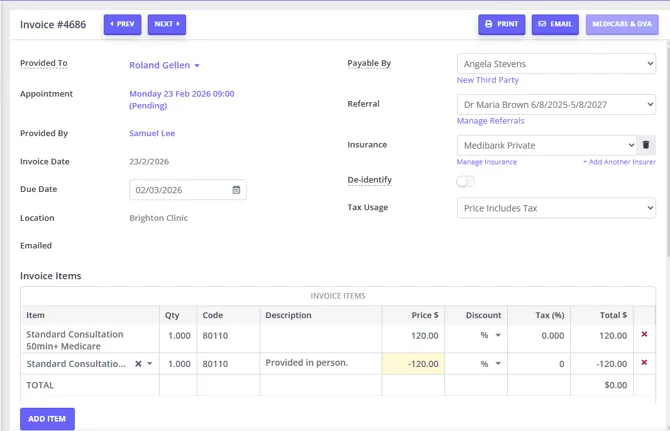
Adding the Same Item With a Negative Price
- Open the Edit Invoice page
- Add a second item of the same type
- Make the Quantity equal to the first Item Line
- Make the Price the same amount, but negative. This will make the overall value of $0.
- Add a note in the description such as “$x written off on (date)”.
- Save
Using a ‘Written Off’ Service or Product
- Navigate to User Menu > Account Settings > Billing > Services or User Menu > Account Settings > Billing > Products, and create a new service/product called, for example, “Written Off”.
- Add this to your invoice with a negative of the amount owing.
- Write a description as per above.
- Click Save.
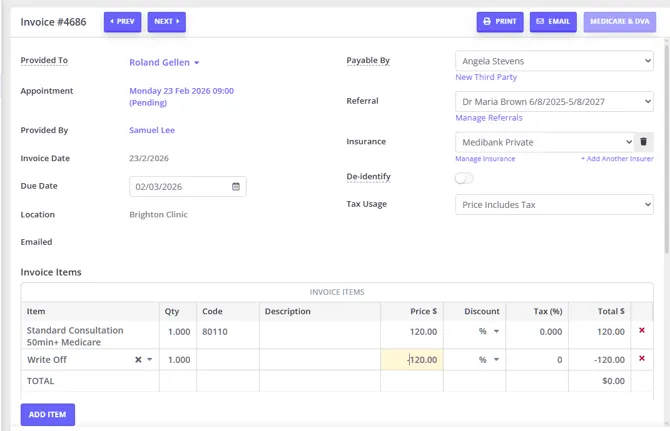
Pro-Tip💡 One advantage of using the Written Off Service or Product is that it can be seen when you view the list of invoices from your client and will be included in financial reports (eg within the Sales report, or Invoices and Payments report).
Using a ‘Written Off’ Payment Method
- Create a new Payment Method. This is done via User Menu > Account Settings > Payments > Payment Methods. Again, call it something like “Written off”.
- Use this payment type to apply a payment to the invoice.
- If necessary, add extra notes in the description of the payment.
- Click Save.
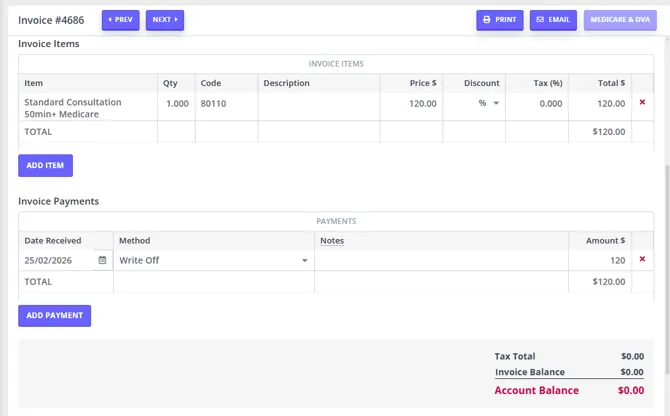
Pro-Tip 💡The advantage of this method is that again it will appear in financial reports. This time, however, the date it was written off will appear (rather than just the date of the invoice).
How To Export Invoices with Negative Amounts to Xero
If you import your invoices to Xero, please note that Xero doesn’t import negative amounts.
As such, if you want the negative amounts you added in your Zanda account to show up in Xero as well, start by importing your original invoice.