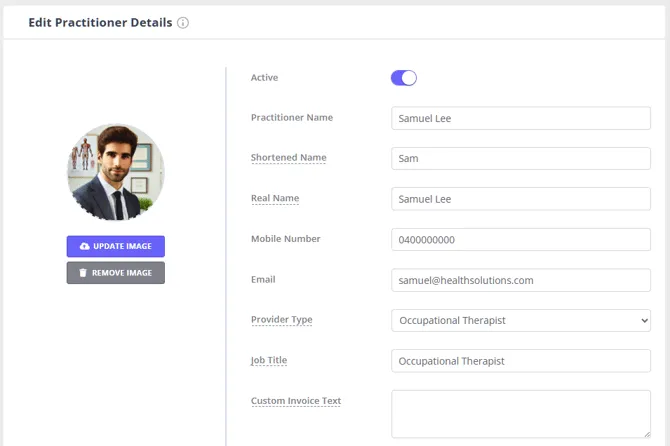
- Go to User Menu > Account Settings > Team > Practitioners.
- Open an existing Practitioner, or create a new one.
- On the Details page, add the practitioner’s title in the Job Title field. Save the changes.
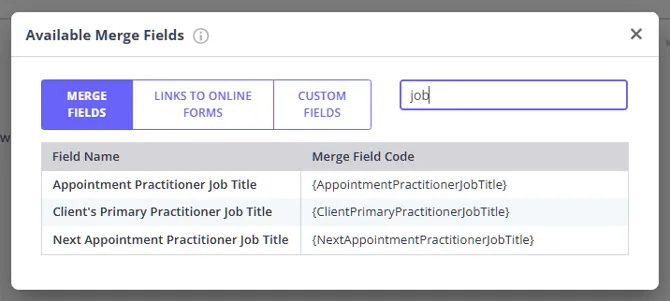
Add the Practitioner Job Title merge fields to your communication templates, where applicable:
- When you create or update a communication template in User Menu > Account Settings > Communication Templates > Email, SMS or Letter Templates, click on the Available Merge Fields link to bring up the list.
- Type in ‘title’ in the search field at the top.
- Copy the appropriate merge fields and paste them into the template Content box.
- Save the changes.