
How to Save Time in Private Practice

There’s a hard truth that affects so many in private practice: too often, practitioners are stuck in a cycle of long hours and administrative overload.
But it doesn’t have to be that way.
You can reclaim your time (without sacrificing quality care) by streamlining eight key areas of your practice operations with tools from automation and AI, to online bookings and forms.
No more late nights catching up on paperwork. Just simple, proven strategies to help you finish work on time and enjoy the life you’ve worked so hard for.
When your workday never ends
Low pay, heavy caseloads, seemingly endless admin–burnout comes at an enormous cost for health practitioners, the clients who depend upon them, and the healthcare system.
As the American Counseling Association notes, mental health providers face a “perfect recipe for burnout”: unsustainable demands with too little time or support.
Consider the hours lost to repetitive tasks–chasing forms and payments, manual scheduling, digging through notes–that divert your energy from clients and your well-being.
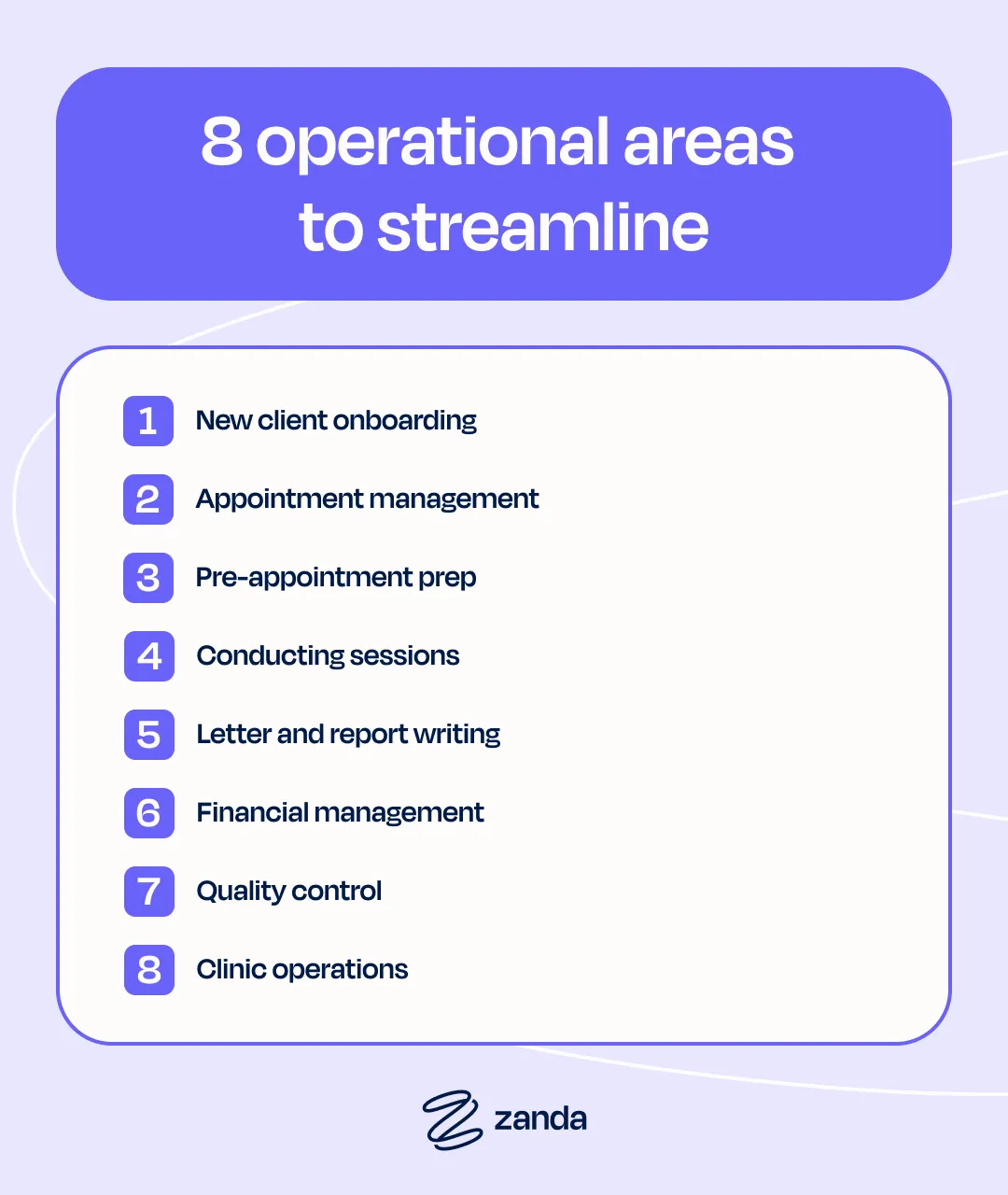
8 operational areas to streamline
Think of efficiency like compound interest–small savings today lead to big gains in terms of time management for therapists. Simple tweaks in your operations will have cumulative results.
The time you reclaim by streamlining tasks is a valuable opportunity for client care, professional growth, referral management, or simply closing your laptop on time.
Let’s unpack 8 operational areas where you can save time in private practice.
1. New client onboarding
Manual client onboarding is notoriously time-consuming.
Mailing forms, chasing signatures, and manually entering data eat into your day before a client even walks through your doors (or joins a telehealth session).
Good practice management software shouldn’t slow you down and, luckily, client onboarding is an easy process to automate.
Using the Zanda client portal, new clients can:
- Self-book appointments online
- Complete intake forms
- See and pay their invoices
- See a list of their appointments and join telehealth sessions
Pair this with new client and pre-appointment automation, like sending consent forms or pre-session questionnaires, and you’ve just saved hours of admin each week.
2. Appointment management
Juggling appointments manually is like playing Tetris; it can feel like you’re one missed call or double-booking away from chaos.
But what if your calendar prevented conflicts, filled gaps automatically, and kept clients on track without you lifting a finger?
With smart scheduling tools, you can:
- Set recurring appointments in one click
- Fill cancellations using a waitlist
- Send reminders and confirmations via SMS/email
- Trigger recall automations for clients who haven’t rebooked
The result? A calendar that practically runs itself.
3. Pre-appointment prep
Ever had a client show up unprepared, late, or at the wrong location?
When clients arrive unprepared, you pay the price in wasted time and fractured focus.
Avoid this with automatic communications, including:
- Personalized pre-appointment prep instructions (what to bring, how to prepare)
- 1-click map links
- Reminders 24-48 hours before the session
Set up the pre-appointment automation once, and every client gets the right info at the right time.
4. Conducting sessions
The burden of session documentation often adds unnecessary cognitive weight to an already demanding clinical process.
Here’s how to conduct sessions more efficiently:
- Live Session Transcription: BizzyAI securely transcribes sessions in real time, so you can focus on your clients
- Smart Note Generation: After the session, transform the transcript into structured clinical notes with one click–no more deciphering hurried scribbles
- Seamless Workflow Integration: Use the template of your choice, whether you need SOAP, DAP, or a custom format
Use our BizzyAI Calculator to see how much time you could be saving!
5. Letter and report writing
Letters and reports demand your expertise–but they shouldn’t take up your evenings.
Between referrals, progress updates, and insurance requirements, this essential communication can quickly transform into another stack of paperwork.
With smart documentation tools, you can:
- Start with configurable templates for common letters (referrals, progress reports, etc.)
- Coming soon to Zanda: Generate full letters from prompts (just outline what you need, and BizzyAI will draft it for your review)
6. Financial management
Chasing payments shouldn’t be part of your daily routine.
Between missed invoices, manual insurance claims, and awkward payment conversations, financial tasks can go unresolved for weeks.
Zanda cuts the friction with:
- Pre-payment and secure card storage: Clients save payment details via your portal (powered by Stripe), so session payments can be processed without awkward follow-ups
- 1-Click Medicare claims: Submit bulk Medicare processing in seconds. No more manual forms or delayed reimbursements. (AU only)
- Auto-Invoicing: Set rules for outstanding invoices, late fees, or payment plans, then let the system handle reminders
7. Quality control
Client feedback helps improve care, but when gathering it means chasing surveys or digging through scattered notes, important insights can get lost in the shuffle.
With automated post-appointment follow-ups, you can:
- Send satisfaction surveys via SMS/email (include a Typeform or other survey link in your Zanda templates)
- Spot trends with aggregated responses–no more manual tallying
- Trigger check-ins for clients (such as those who haven’t booked their next session)
Set it once, and Zanda handles it all behind the scenes.
8. Clinic operations
A thriving practice needs repeatable systems.
Growth-minded practitioners know that scaling effectively means building replicable efficiencies–for onboarding, tech, and everyday workflows–that free them to focus on what only they can do.
Zanda helps you “once-ify” operations by:
- Digitizing your practice manual: Centralize policies, protocols, and FAQs so staff can self-serve (no more repetitive training calls)
- Streamlining practitioner onboarding: New practitioners access everything from billing codes to session templates when they’re added to the system
- Automating maintenance reminders: Schedule reminders for license renewals, equipment checks, or team reviews
Your time is worth protecting
When you first started your practice, it made sense to handle everything yourself. But as your client list grew, those hours spent on admin–answering the same questions, troubleshooting appointment mix-ups, chasing payments–started piling up.
The solution?
Stop reinvesting hours of your time where a good automated system can do the busy work for you. Automated reminders prevent no-shows. Documented processes mean new staff never need to ask, “How do we…?” twice. Even small efficiencies, like templated directions or pre-set supply orders, compound into days of reclaimed time each year.
You built your practice to make an impact. Now let it run smoothly while you focus on care.
Experience Zanda – Try It for Free. No credit card required!