You will require a subscription with Medical-Objects in order to use their plugin inside of Microsoft Word. Medical-Objects have some information about their plugin available here.
Note: The Medical-Objects plugin works in one direction. It sends letters from Word to other healthcare providers. Referrals that other providers send you through Medical-Objects arrive in your Medical-Objects inbox, not in Zanda, and Zanda doesn’t create a client or a referral from them automatically. To record one, create the client in Zanda, add the referral to their profile, and upload the referral letter to their Records > Files tab. See Managing Referrers and Referrals for the full workflow.
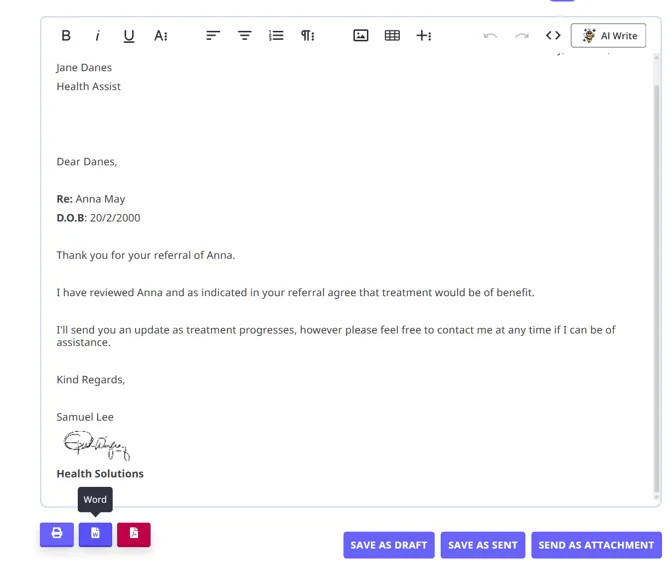
To export a Zanda letter into Word you will need to follow these steps:
- In the client profile access the Communication area and click “New Letter”
- Either select a letter template or create the letter on this screen.
- Once you are finished, click ‘Save’
- Click the Word icon (hover over it to see the “Word” tooltip) to generate the letter in Microsoft Word. The icon becomes available once the letter is saved.