

What this feature does
Resending an email lets you send a completed email again without rebuilding it from scratch. Zanda opens a new email pre-filled with the original message’s recipients, subject, body, and any attachments that are still available.
This is useful when an email did not reach someone, went to the wrong address, or simply needs to go out again.
How to resend an email
You can resend an email two ways:
-
Open the email and select RESEND next to CANCEL.
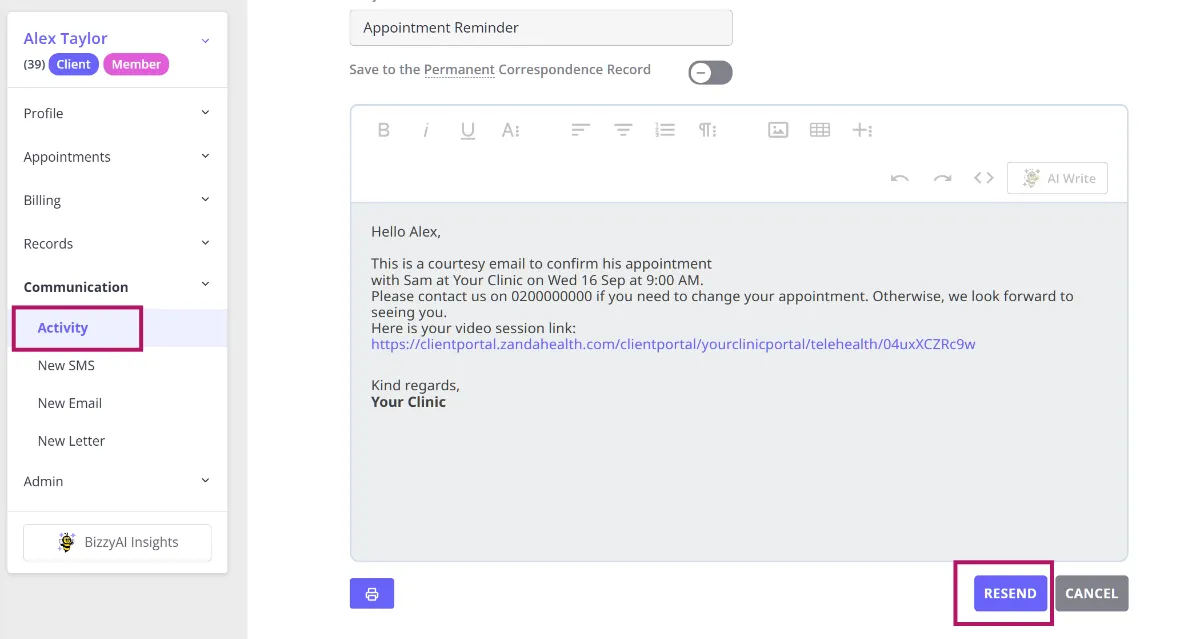
-
In Communication Activity or on the Correspondence page, use the actions menu on the message’s row and select Resend.
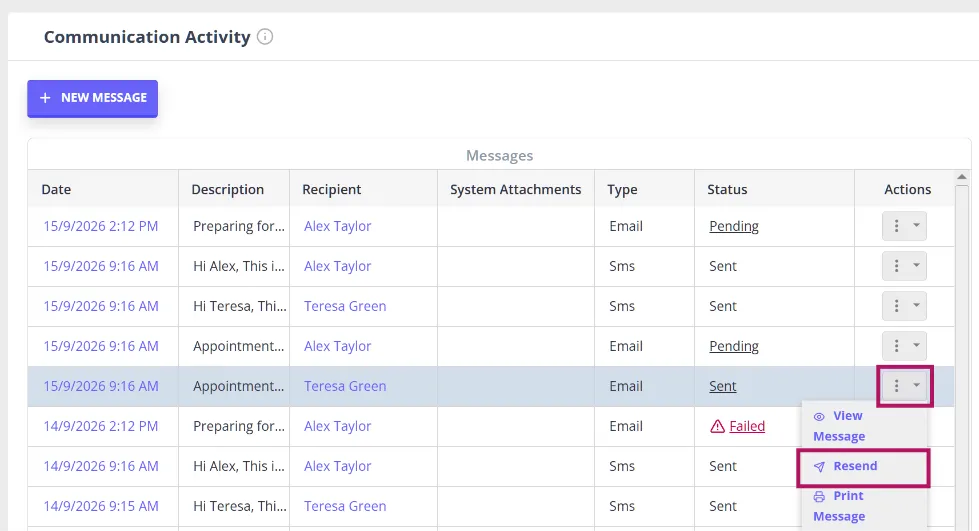
Zanda opens a new email pre-filled with:
- To
- CC
- From email and From name
- Subject
- Body of email
- Attachments, where they’re still available
Review the message and send it the same way you’d send a new email.
Note: You can resend any email that has finished sending, including one that shows as Delivered, Partially Failed, or Failed. Drafts, and emails still in the process of sending, can’t be resent.
Attachments older than 30 days
Zanda keeps a sent email’s attachments available for 30 days. After that, the attachment can no longer be included in a resend or downloaded from the original message.
If you resend an email whose attachment has expired, Zanda asks “Send without attachment?” with the message: “This email is older than 30 days, so its attachments are no longer available. Would you like to send it without the attachment?” Select Send to resend the email without the attachment, or Cancel to stop.
Trying to download an attachment from an email older than 30 days shows the message “Attachments older than 30 days can no longer be downloaded.”
You can upload the file again before sending the email, using the email editor tools.
Frequently Asked Questions
Will resending trigger a duplicate email warning?
No. Resending skips the duplicate-email check, so you can resend the same message again without it being flagged as a duplicate.