



Seamless Healthcare Billing Software for Private Practices: Payment Processing & Invoicing
Reclaim your time with healthcare billing software built for private practices. Zanda brings scheduling, invoicing, payments, and claims together in one intuitive practice management system — so you can stay in control and get paid faster.
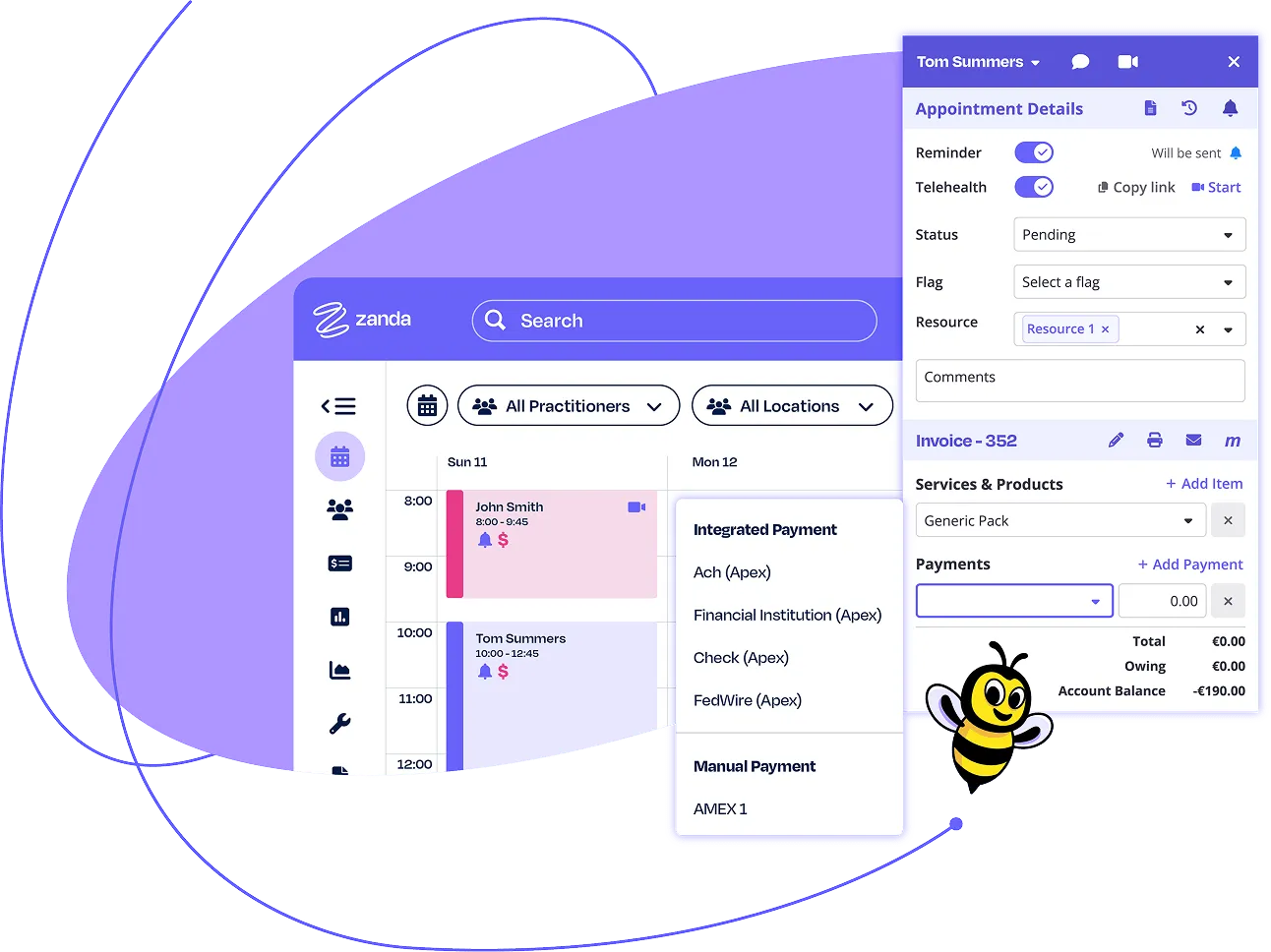
A smarter approach to healthcare billing
Managing your practice's finances shouldn't take you away from clients. Zanda takes the friction out of the entire billing cycle, making it easy to generate invoices, process claims, and manage payments.

Simplify private practice billing
Juggling insurance claims and self-pay clients? Zanda gives you the tools to manage both. Track every bill, reduce errors, and work more efficiently so billing doesn't get in the way of care.

Streamline clinic billing tasks
Zanda brings every billing task into one easy-to-use system. It cuts down on double-handling, reduces delays, and helps your team stay focused on the work that actually needs your attention.

Improve billing accuracy & workflow
Still chasing payments or fixing claim mistakes? Our medical billing software helps you tighten processes, reduce rejections, and maintain your focus.
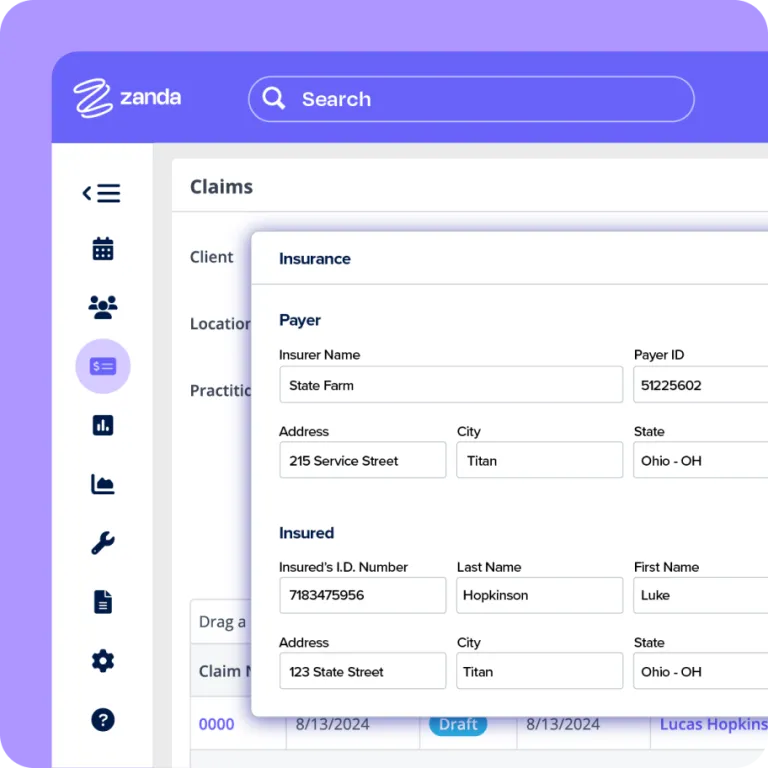
Insurance management
Take the stress out of claiming. Zanda insurance billing software handles the heavy lifting behind the scenes, so everything from submission to payment flows smoothly.

Automated invoicing workflows
Leave manual invoicing behind. With Zanda, you can automatically generate invoices as you record sessions — complete with service codes, fees, and insurance details. Set up automations to follow-up on both paid and unpaid invoices, and let them do the busy work. It's the easiest way to eliminate manual errors and maintain a healthy cash flow.
Set recurring appointments to bill on schedule and let Zanda take care of the rest. This streamlined approach keeps medical billing consistent for private practices, especially for ongoing treatment plans.

Streamlined insurance claims processing
Turn invoices into claims in just a few clicks. Zanda creates ready-to-send claims by pulling in client details, service codes, and insurance data, including primary and secondary insurance information.
Submit electronically or generate accurate forms, then track every claim's status in real time. With fewer steps and better visibility, your team can keep reimbursements moving and make sure nothing slips through the cracks.

Automated reimbursement tracking
Stay on top of reimbursements in real time. Zanda logs insurance payments as they're received, applies them to the correct claims, and updates client records instantly.
The system automatically flags overpayments, underpayments, and unpaid claims to ensure nothing gets missed.
Payment processing and invoicing for healthcare
Simplify scheduling and invoicing in your practice management system. Zanda helps you stay organized, get paid faster, and reduce admin.
1.5 million+ invoices created every month in Zanda
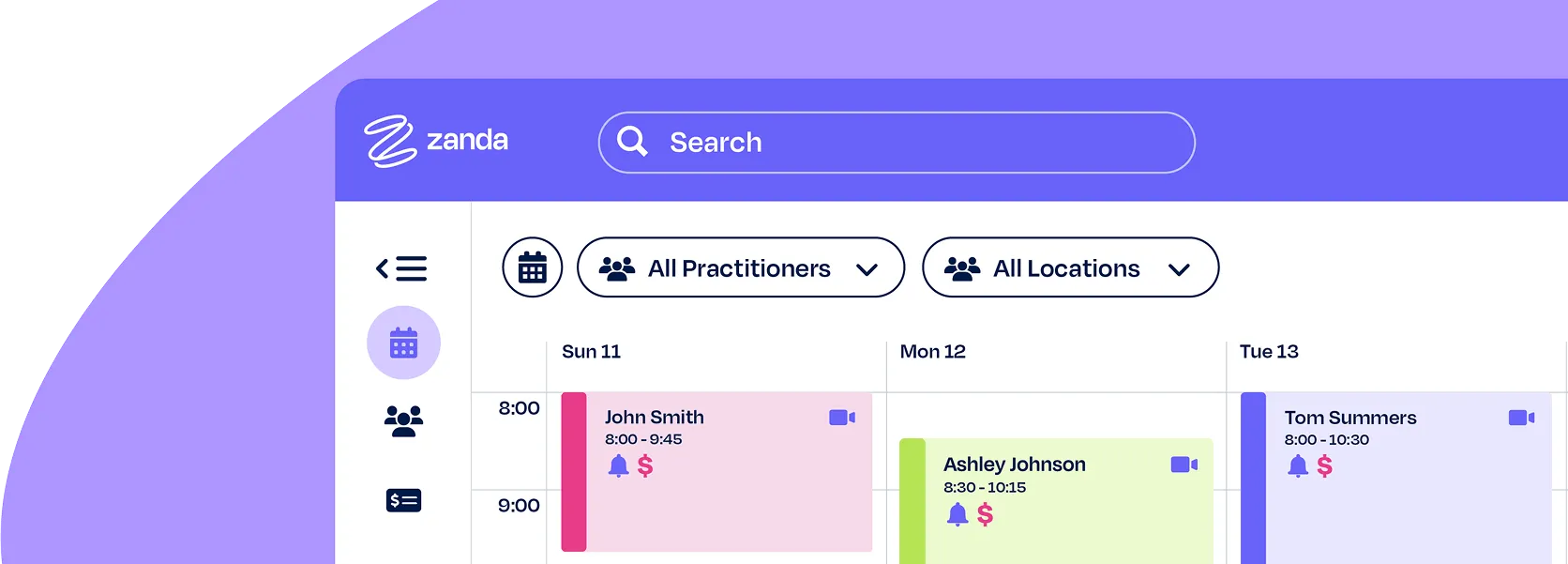
Streamlined booking and invoicing systems
Rely on an integrated practice management system to manage bookings, invoices, and payments—without bouncing between tools.
Automated invoicing
Every session booked generates an invoice. Your calendar and billing are always connected, and with automated follow-ups, you'll have more time for clients.
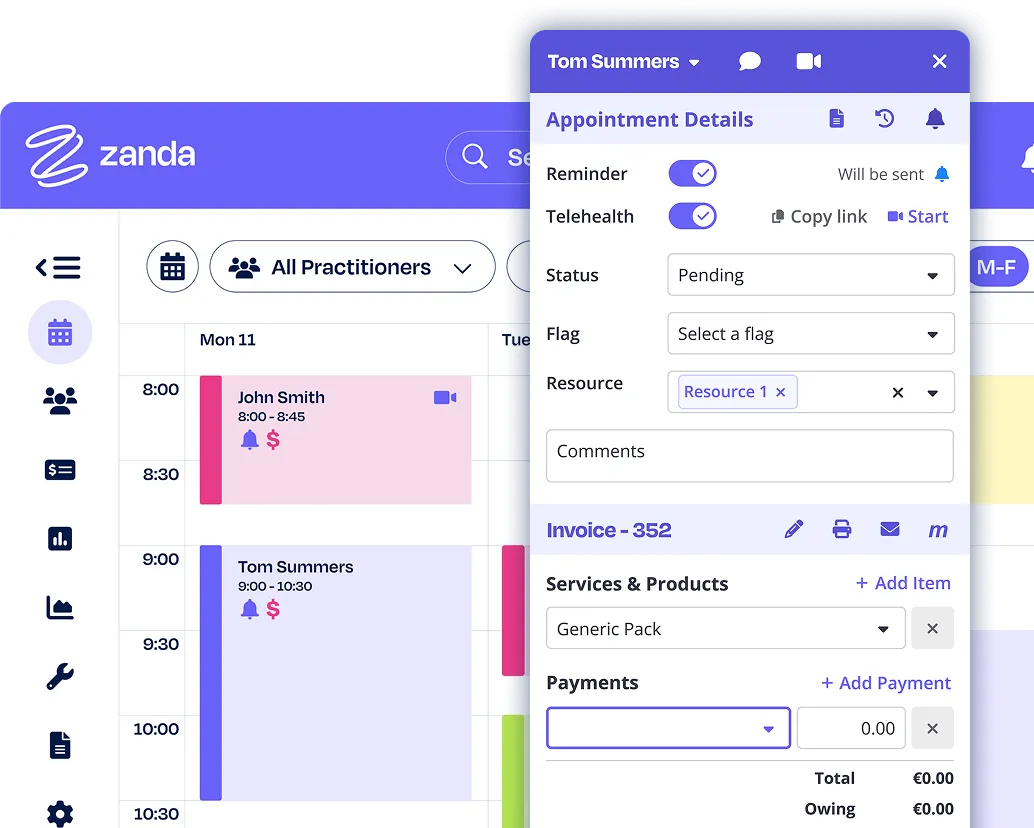
Secure payments
Save time on payment processing. With built-in Stripe integration, managing payments is secure, fast, and easy for everyone.
Flexible payment options that work for you

Upfront or post-session billing
Offer prepayment to lock in bookings or invoice later when needed. Zanda gives you the control to reduce no-shows and stay on top of your revenue.

Options clients appreciate
Give clients the flexibility to prepay online or receive an invoice after their session. It's a simple way to support different needs—be it insurance, budgeting, or personal preference.

Faster payments, improved cash flow
Accept prepayment or use automated post-appointment invoicing. Flexible features support a consistent cash flow and make outstanding payments easy to track.
HIPAA-compliant payment processing
Secure encrypted transactions
All transactions are encrypted and processed through PCI DSS-compliant systems that keep sensitive card data protected from unauthorized access.
HIPAA-ready payment processing
Zanda keeps protected health information (PHI) separate from billing data, so you stay compliant while respecting client privacy—no extra steps or added complexity.
Transparent audit-ready records
Track every payment with full details including date, time, amount, method, and user. Zanda builds a clear audit trail so you're ready for internal reviews or compliance audits.
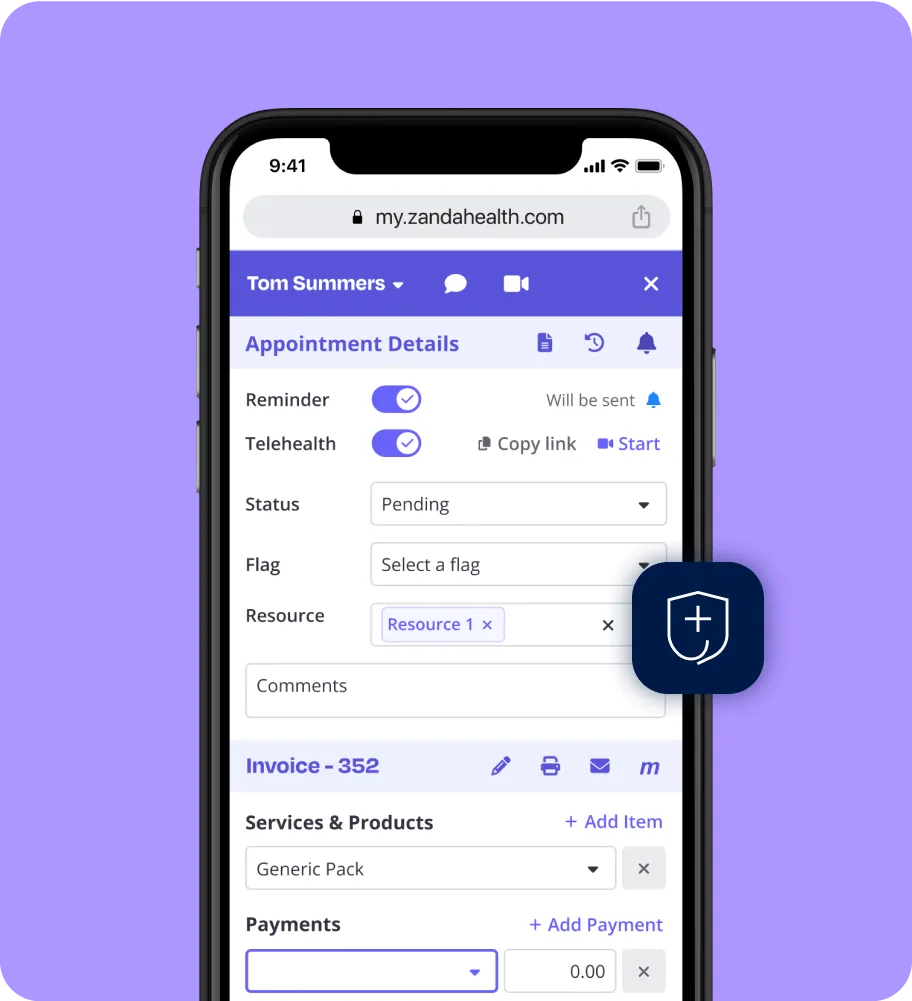
Integrated one-step billing
Trigger payments from invoices
With everything connected, there's no switching tools or chasing confirmations. Just faster payments and smoother workflows for your team and clients.
One click to bill or send
Access payment options right from each invoice. Charge a stored card, send a link, or take payment in person without needing to jump between platforms or re-enter payment details.
Real-time payment status tracking
Get payment status updates the moment they're processed. Invoices update automatically, receipts are ready instantly, and both you and your client stay in the loop with no manual tracking.
Accurate billing without extra work
Reduce manual input and avoid common billing errors. Zanda keeps records synced automatically, helping your team cut down on admin time and shift attention back to care.
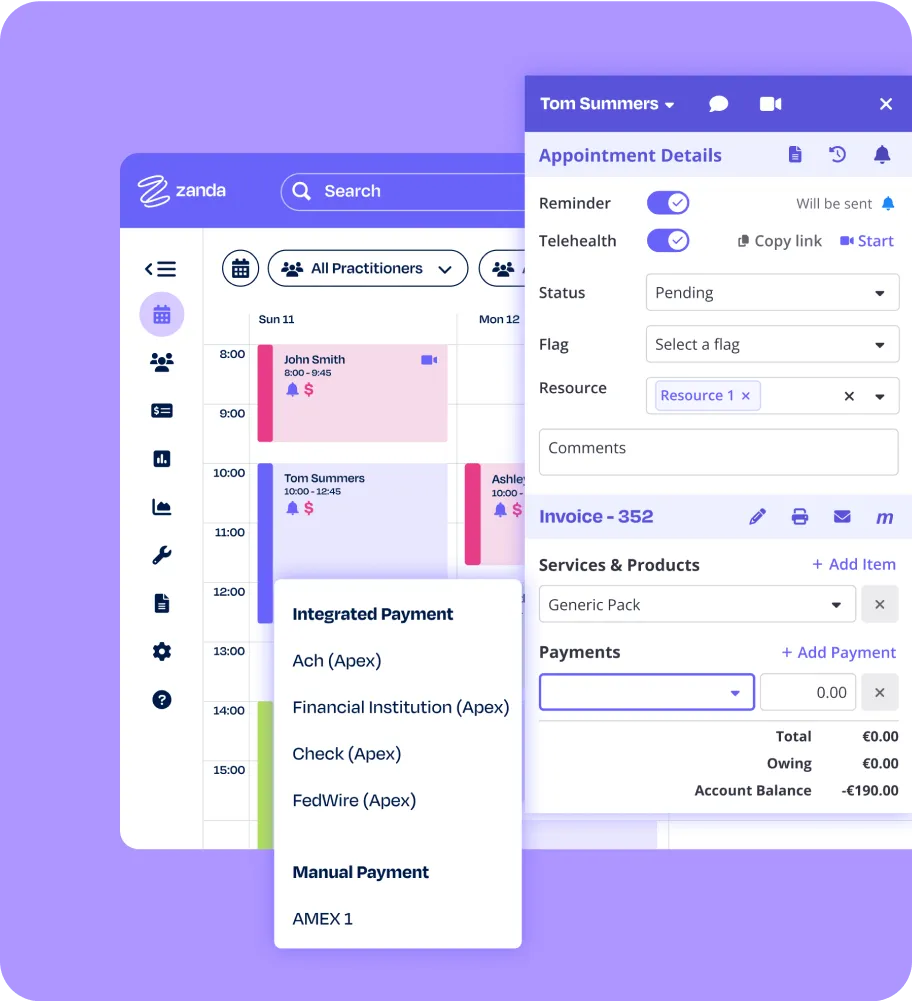
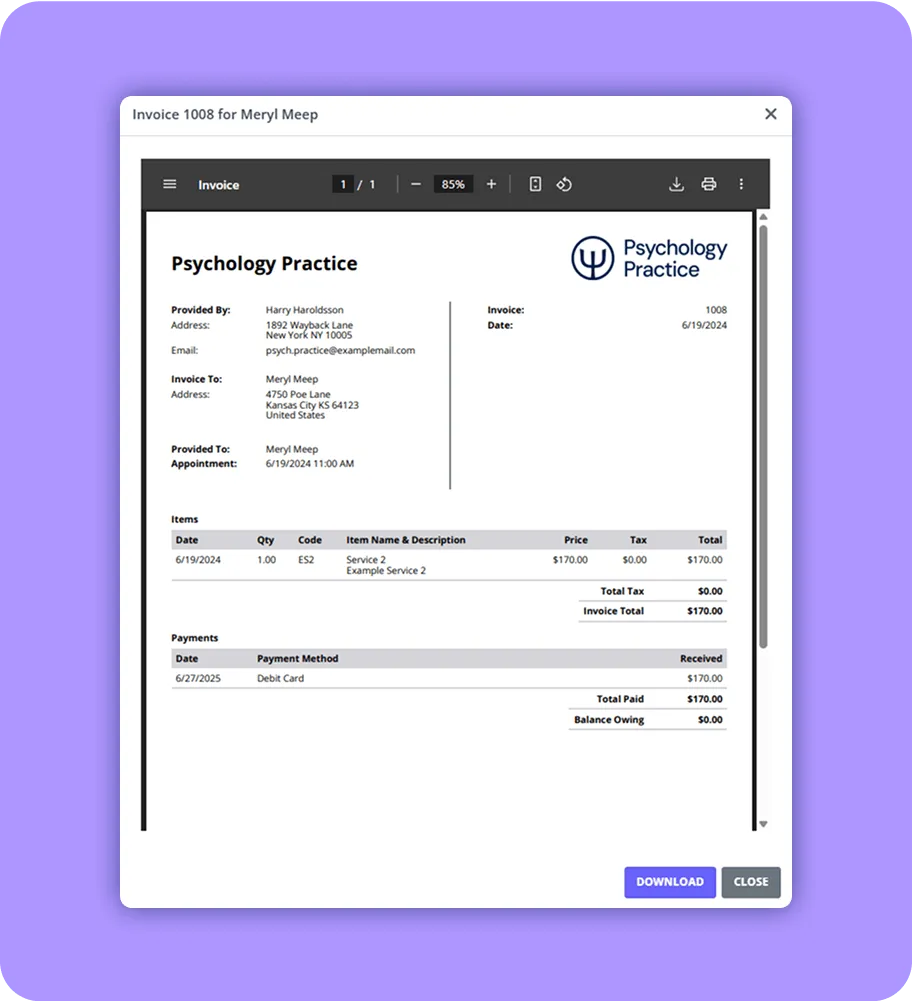
Create and send invoices
Professional branded invoices
Create branded invoices with your logo and details in just a few clicks. It's one more way to keep your communications consistent and professional.
Flexible delivery methods
Email invoices from your dashboard, set them up to send automatically, print them for in-person use, or send a secure payment link by SMS or email.
Payment insights
Stay on top of invoice activity. See which invoices are sent, paid, or overdue right on the calendar. Automate payment reminders to save time, reduce follow-ups, and speed up your payment cycle.
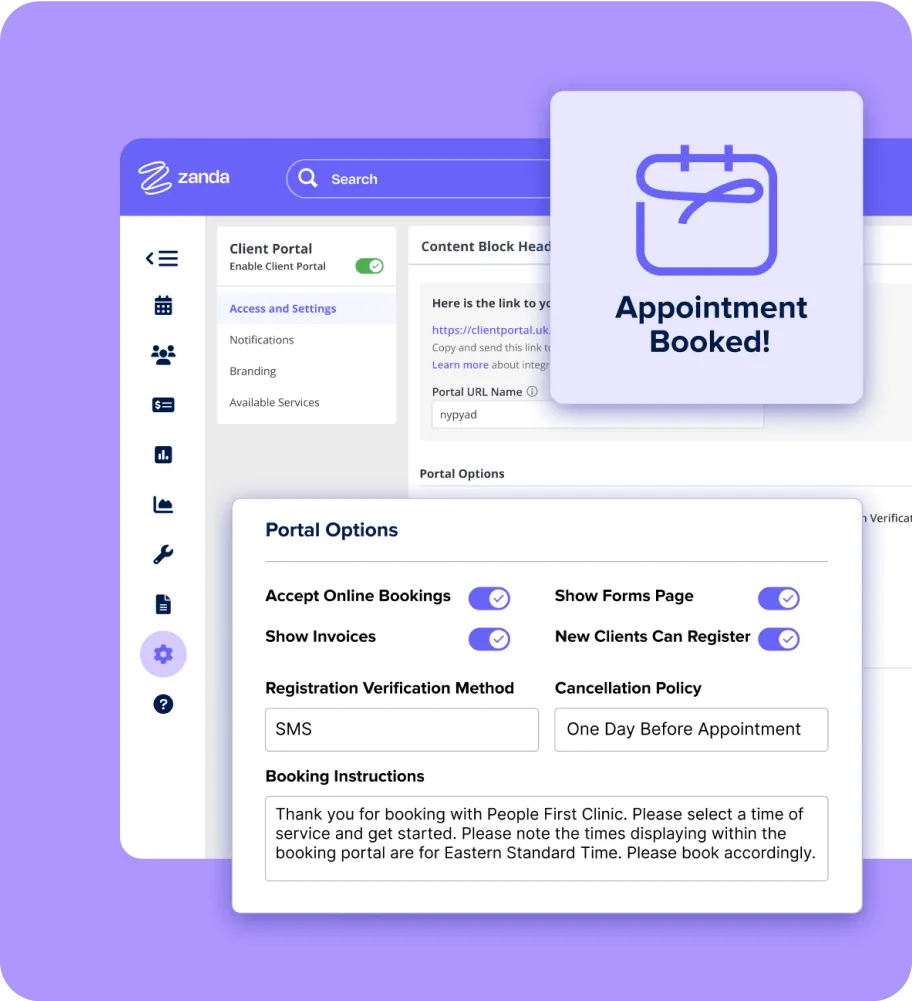
Secure online payments
Self-service client portal
Let clients book sessions, check balances, pay invoices, complete and download forms, view upcoming appointments, and join telehealth sessions. The portal is secure, intuitive, and always available.
End-to-end payment security
Make it easy for clients to enter payment info directly into a secure, PCI-compliant form. Card data is encrypted and stored by Stripe, helping you stay compliant without handling card data.
One-click payment convenience
Enable quick payments with saved card details. Clients can settle invoices in seconds without phone calls or extra steps.
Privacy controls for every client
Keep client data secure with a portal designed for healthcare. Every transaction is protected by strict data privacy standards — so you can maintain confidentiality and client trust.
Privacy & data compliance
Zanda is certified & compliant with the following security & privacy standards.







Zanda integrates seamlessly with…









Zanda at a glance

Secure & connected
Invoicing, payments, and privacy controls in one platform. Zanda helps you move faster, stay compliant, and reduce time-consuming tasks, from front desk to finance.

Efficient & error-free
Automate repetitive billing tasks so your team can stay focused on clients. Zanda handles the invoicing, tracking, and syncing—reducing errors and saving time.

Global & compliant
Comply with healthcare billing rules across regions. Zanda supports HIPAA, GDPR, The Privacy Act, and more, so your payment processes stay unified, secure, and compliant from one platform.

Flexible & scalable
Simplify payments as your practice grows. Zanda reduces billing friction, boosts client satisfaction, and keeps your financial information accurate and easy to manage.
Feedback from practices like yours
See how teams save time and get paid faster with all-in-one billing from Zanda.
Professions we serve

















FAQ
Understanding Stripe in Healthcare: Stripe powers secure card payments in Zanda. While Stripe doesn't offer HIPAA-specific certification or sign Business Associate Agreements (BAAs) by default, our integration keeps protected health information (PHI) separate from Stripe, so you stay compliant without handling sensitive payment data directly.
HHS Guidance: According to the U.S. Department of Health and Human Services (HHS), payment processing isn't a healthcare function under HIPAA. As a result, Stripe can be used for transactions, because it handles financial data only, not protected health information.
Secure Configuration: Keep your data where it belongs. Our Stripe integration shares only what's needed to process payments and nothing more. That means no treatment notes and no PHI are shared with Stripe. Just secure, minimal billing details that keep you compliant and your clients protected.
Zanda charges a small flat fee on each card payment to cover processing, but never for sending invoices. For full details about Stripe processing fees, visit the Knowledge Base.
You have the option to automatically add Stripe card processing fees to client payments—helping your practice recover transaction costs while keeping billing transparent for your clients.
Yes, you can generate, configure, and submit invoices and claims directly from Zanda. This streamlined workflow eliminates the need for multiple systems, helping you manage your practice's finances with ease.
Zanda integrates with Xero to automatically sync invoicing and payment records. This ensures your financial data remains accurate and up to date without the hassle of duplicate data entry.
Zanda supports a variety of payment options to suit your practice, including integrated credit card processing through Stripe and EFTPOS terminals via Tyro (for Australian practices). You can also record manual payments such as cash, check, credit card, or bank transfers, and provide clients with online payment links or a branded client portal for easy online payments 24/7.