
What is Practice Management Software?
Practice management software (PMS) refers to a type of software system that helps healthcare and medical practices streamline their operations. It can manage everything from patient records and scheduling to billing and claims processing. By automating these processes, practice management software can free up staff time to focus on more critical tasks – such as patient care.
As a leader in practice management software, Zanda helps health practices across the globe improve their efficiency and productivity.
Start a Free Trial Now!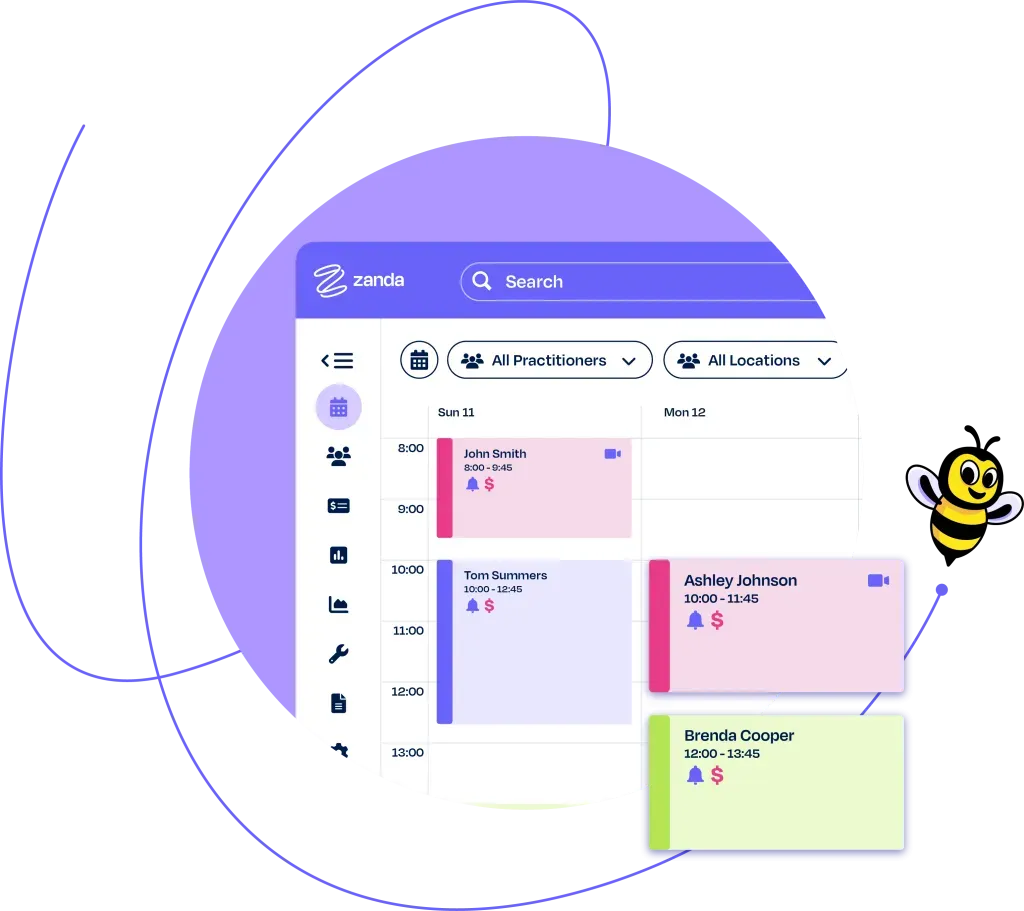
What are the benefits of practice management software?
Adopting a practice management system (PMS) allows healthcare practices to experience real transformation and a step-change in how they deliver healthcare services.
A good PMS is designed to make the work of healthcare providers and admin staff easier and more efficient and should make running a healthcare practice enjoyable.
10 ways that practice management software will shape and improve your health practice…

Reduce administrative tasks
Health and medical practice management software help improve the efficiency of your clinic by streamlining administrative tasks in a central system.
This can include patient record-keeping, scheduling appointments and processing insurance claims.

Reduce No-Shows
A practice management system is used to send automated appointment reminders, which are proven to curtail no-shows by as much as 38%. This ensures that your time is respected and directly impacts the practice’s profitability.
Appointment reminders are delivered seamlessly through SMS message or email and are a simple yet effective tool to mitigate any inconvenience or potential revenue dips from missed appointments.

Make appointment booking easy
Appointment booking is a critical function of any health practice. Online practice management software helps streamline this process by providing an online booking system that integrates with your clinic’s schedule.
This makes it easier for patients to book appointments from your website and for staff to manage the appointment schedule.

Enhance communication
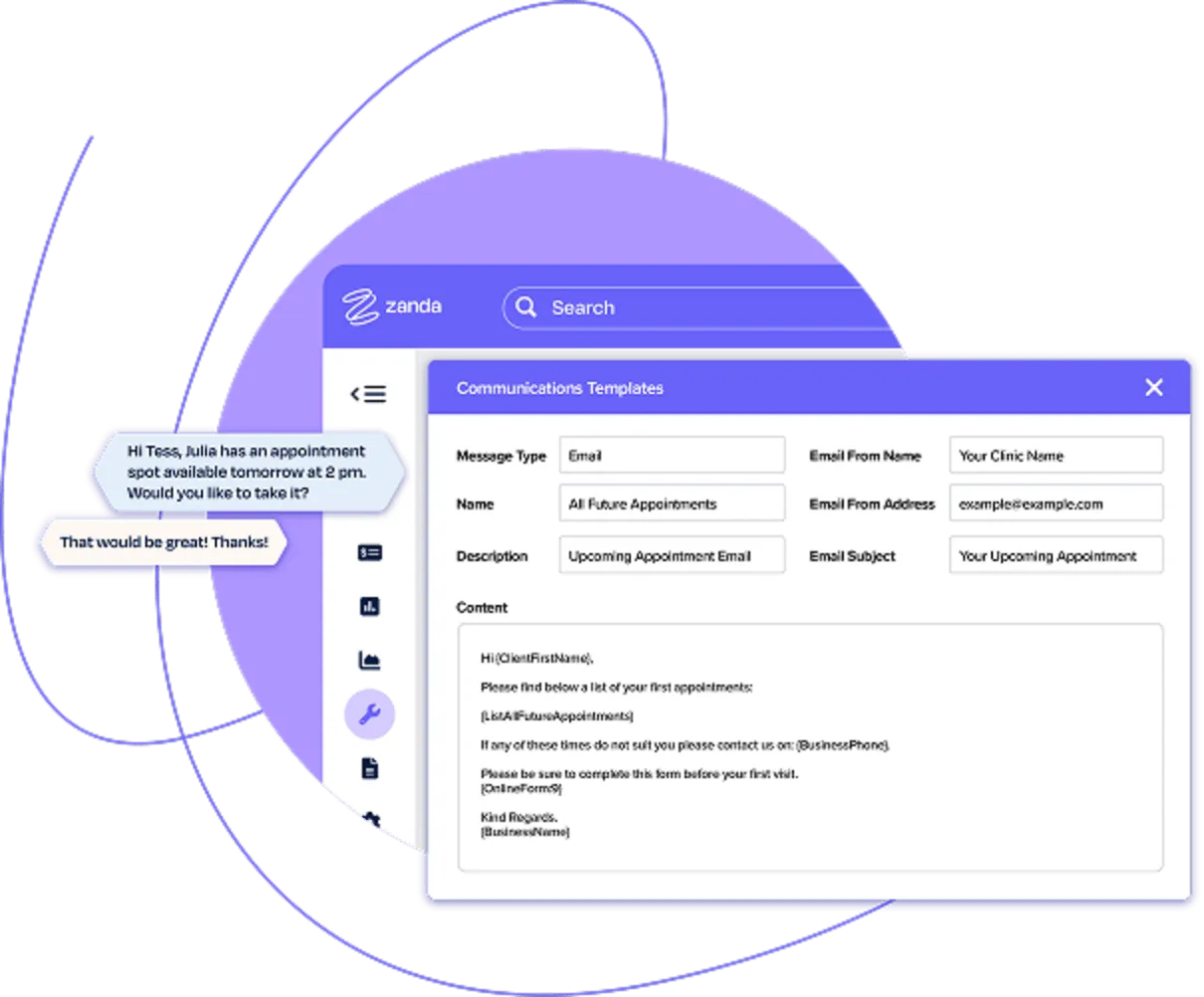
PMS allows practices to communicate professionally with time-saving letter and email templates for patients and referrers.
Two-way SMS messaging also allows seamless communication to keep patients in the loop and position your practice to take every opportunity to provide exceptional patient care. Communication through Telehealth video appointments and online forms also enhances the patient experience.

Simplify invoice creation & billing
Implementing a practice management software system helps simplify the creation of invoices and makes it easier to bill patients.
The software can generate invoices based on services rendered and automatically send them to the patient. This saves your practice valuable time and money on billing costs.

Increase growth
Practice management software has a direct impact on revenue and growth. The communication tools allow you to quickly remind patients to make future bookings, let them know about new services and send marketing messages.
A waitlist also ensures that you can easily fill empty session spots, and offering services by Telehealth opens up opportunities for additional practitioners and patients.

Manage client or patient records
Practice management software is also important for managing patient records.
The software can store all of a patient’s medical information in one central location, including their contact information, medical history and test results. This readily available information helps improve the quality of care your patients receive.

Better time management
Practice management software handles all your essential administrative tasks, allowing you to focus on patient care.
With simple appointment scheduling, billing, and claims processing, you save precious time, leading to a more efficient and streamlined practice.

Efficient reporting
As a practice manager, your decision-making abilities are only as good as the data at your disposal. A practice management system serves as your oracle, offering real-time performance insights at your fingertips.
It gives you an elevated perspective on your practice’s functioning, the performance of your team, and the power to delve deeper whenever necessary.

Streamline operations
The Practice operations manual included with Zanda’s practice management system allows you to set up your business to operate seamlessly according to the processes and policies you define.
The default policies enable you to get your practice manual in place with a head start, while also being able to configure policies and procedures to suit your practice needs and preferences.
Who does practice management software benefit?
1Streamlined operations
Practice management software streamlines administrative tasks, improves workflow and enhances efficiency.
2Improved financial management
The software provides integrated invoicing, billing and payment solutions, ensuring smooth financial operations for your clinic.
3Enhanced productivity
By automating routine tasks, practice management software frees up time for your staff to focus on core responsibilities, driving greater productivity.
Benefits for all practice sizes
1Improved time management
Practice management software streamlines tasks, allowing solo practitioners to manage their practice efficiently and allocate more time to patient care.
2Comprehensive patient records
The software enables solo practitioners to maintain accurate and detailed patient records, improving care coordination and continuity.
3Financial efficiency
With integrated billing and invoicing, solo practitioners can manage their financial operations seamlessly, guaranteeing accurate and timely payments.
Benefits for…
Easy referral management

Easy Communication
Practice management software makes managing incoming and outgoing referrals simple. It can quickly generate communication letters to send to referring and receiving providers.

Referral tracking
With a practice management system, clinics can easily keep track of referrals. Reports can be generated to monitor referrer and patient status, giving practitioners an up-to-date overview of all referrals.

Easy Booking
Practitioners can quickly schedule appointments for any referred patients through the software, or allow for booking through the Client Portal, which allows for prompt and well-coordinated care.
What are the benefits of practice management software?
Practice management software improves patient care by streamlining operations and enhancing communication. It allows for efficient appointment scheduling, automated reminders, and serves as a central point for patient records. This powerful combination creates smoother workflows, freeing up time for the team to provide more personal care. Practice management systems also facilitate Telehealth services, enabling remote consultations and broader healthcare access.
Scheduling with practice management software offers quick and easy appointment management. The availability of practitioners, certain types of practitioners, or specific services can be seen at a glance – in a weekly or daily view. Practice management software takes this further by simplifying the process of scheduling tasks and sending reminders, enhancing your clinic’s time and resources. This further reduces no-shows, improves patient punctuality and improves overall scheduling efficiency.
A practice management system improves office efficiency in a health clinic by automating administrative tasks, eliminating manual paperwork, and reducing human error. In addition, it provides a central repository for patient records, simplifies billing and payment processes, and provides real-time insights into practice performance. These features enhance productivity, streamline workflows, and enable informed decision-making, ultimately leading to a marked improvement in the efficiency of your clinic.

What is the purpose of practice management software?
Practice Management Software is the heart and brain of a health practice. It’s the system that manages everything from appointments to reminders, invoices, notes, waiting lists, forms, communications, Telehealth and even the operating manual.
Streamlined healthcare management
Streamlined healthcare management
Practice Management Software is the heart and brain of a health practice. It’s the system that manages everything from appointments to reminders, invoices, notes, waiting lists, forms, communications, Telehealth and even the operating manual. Practice management software makes it easier to provide health services to more people with less administration.
On the other hand, practices without proper practice management software in place are left unprepared and vulnerable when treating patients and managing healthcare data, as they scramble between disjointed tools that are not specifically designed for health patient management.
Less time spent on practice admin
Less time spent on practice admin
As health practitioners, we’re passionate about providing great service and positive outcomes for our patients. But the business of running a health practice can sometimes get in the way, and running a private practice can mean a lot of extra admin work. A good practice management system should reduce the time spent on administration and help practice owners and their teams to reclaim their time.
Empowering health practices
Empowering health practices
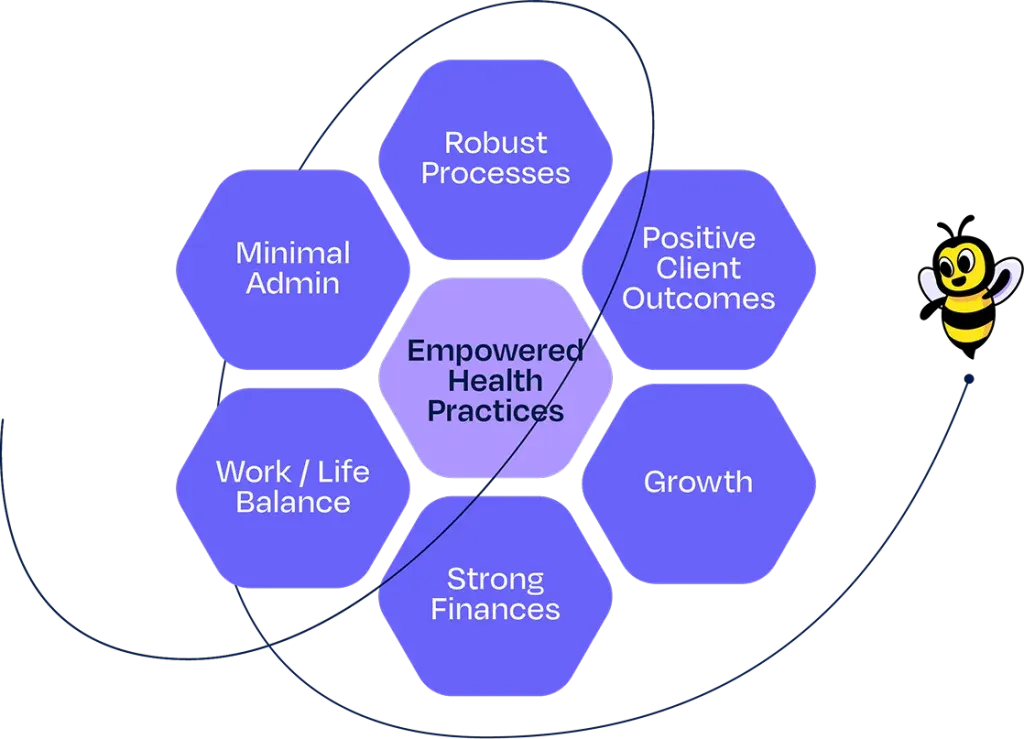
At Zanda, we believe that it’s possible to run a successful practice and provide amazing health services, while also having plenty of personal time to spend with family, friends, or on other passions. In fact, our overriding goal is to create empowered and powerful health practices that benefit practice owners, their teams, and their communities.
Empowering health practices
Our practice management software is based on our goal to “empower health practices”. We believe health practice owners should…
Have the power to do as little admin as possible
Have the power to be financially rewarded for their service and sacrifices
Have the power to build an asset that has real value and can operate without the owner
Have the power to grow if they want to
Have the power to provide positive health outcomes for their patients
Have the power to spend time on their passions
These 6 components work together to make health practices and their teams successful in the long-run.
Practice management software vs EMR, EHR and RCM: What’s the difference?
Practice management software, electronic medical records (EMRs), electronic health records (EHRs), billing tools, and online booking systems overlap enough that practitioners often pay for two or three tools doing the same job. The table below shows what each one does, who uses it, and where its limits are, so you can see which pieces your practice needs.
| Practice Management Software (PMS) | EMR | EHR | Revenue Cycle Management (RCM) | Online Booking Software | |
|---|---|---|---|---|---|
| What it is | A system that runs a practice day to day, from bookings and billing to client communication and clinical notes | A digital clinical chart held inside a single practice | A clinical record built to be shared across care settings | A system that manages billing from charge to payment | A scheduling tool that lets clients book appointments online |
| Primary purpose | Run bookings, billing, and client communication from one place | Document clinical care accurately within one practice | Provide a comprehensive view of a person’s health across providers | Get invoices and claims paid faster | Schedule clients with minimal friction |
| Core functions | Scheduling, client records, invoicing and payments, SMS and email, forms, reporting, referrals | Clinical notes, treatment plans, assessments, results, care history | Everything an EMR does, plus structured data exchange with other providers | Eligibility checks, coding, claim submission, denial management, collections | See availability, self-service booking, send reminders, set up payment at booking |
| Who uses it daily | Practitioners, practice owners, managers, reception staff | Practitioners | Practitioners across multiple settings | Billing staff, finance teams, outsourced billing providers | Reception staff and clients |
| What data it holds | Appointments, financials, clinical notes, body charts and scored forms, client information, client communication | Clinical and health data for one practice | Clinical and health data across various practices or institutions | Charges, claims, payments, remittances, payment information | Name, contact details, appointment times |
| Data sharing scope | Within the practice, plus integrations to accounting, payments and marketing tools | Within the practice only | Across institutions, using standards such as HL7 and FHIR | Between the practice, funders or insurers, and payment providers | Within the practice and may sync to a personal calendar |
| What it doesn’t do | Standalone systems may leave out clinical notes (all-in-one platforms include them) | No scheduling, billing or client communication | Doesn’t run the business side of a practice | No scheduling, clinical documentation or client communication | No clinical records, no health-data compliance, limited billing |
| Typical pricing model | Per practitioner, per month | Per practitioner, per month, sometimes bundled | Per practitioner or per practice, enterprise contracts common | Percentage of collections, or per claim | Per user or flat monthly fee |
| Best fit for | Solo practitioners and multi-location clinics that want bookings, billing, notes, and communication in one system | Practices whose main need is clinical documentation | Practices that must exchange records with hospitals and other providers | Practices with high claim volumes or a complex funder mix | Practitioners who only need scheduling software |
Key features of practice management software
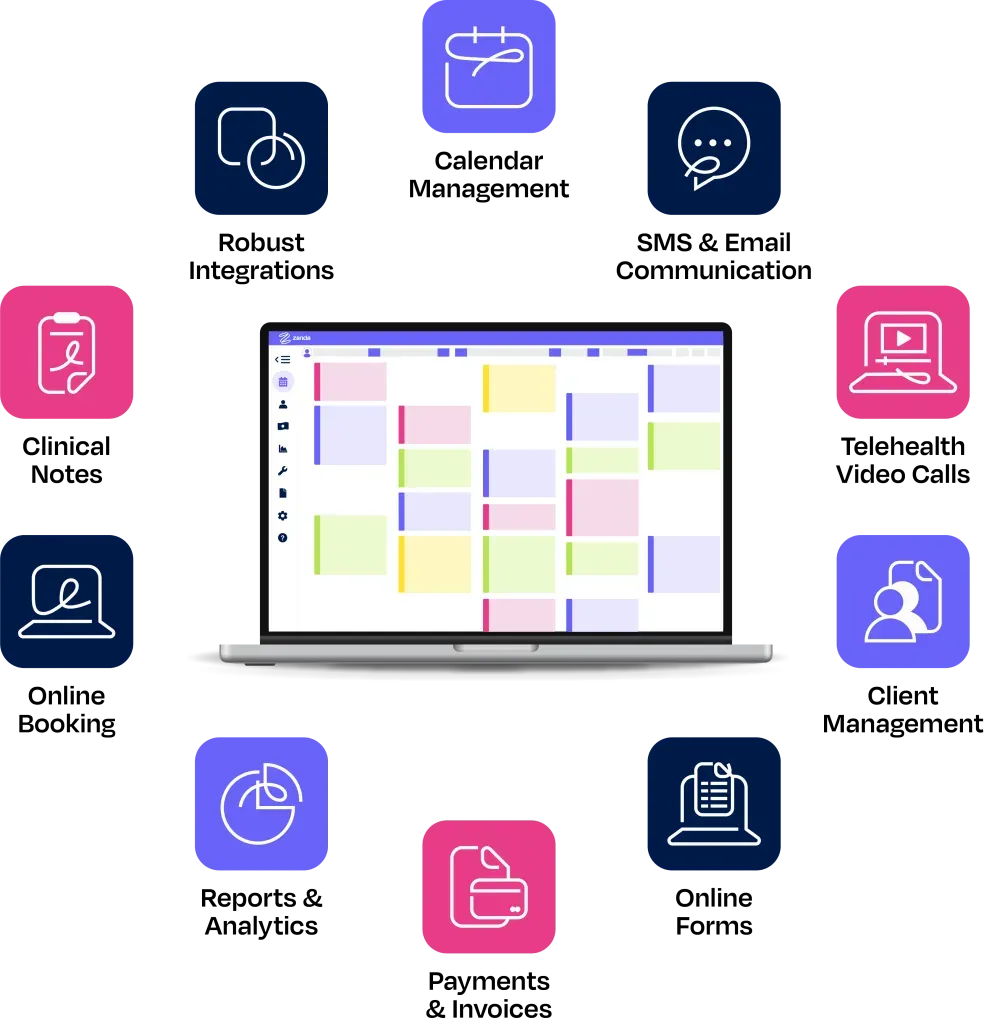
Practice management software is packed with features that make it easier to manage and grow a practice. These key features include:

Calendar management
Practice management software enables efficient appointment scheduling, ensuring optimal usage of clinic resources and reducing scheduling conflicts. Our flexible integrated calendar feature enables one-click appointment management across multiple practitioners, locations and modalities.

SMS & Email Communication
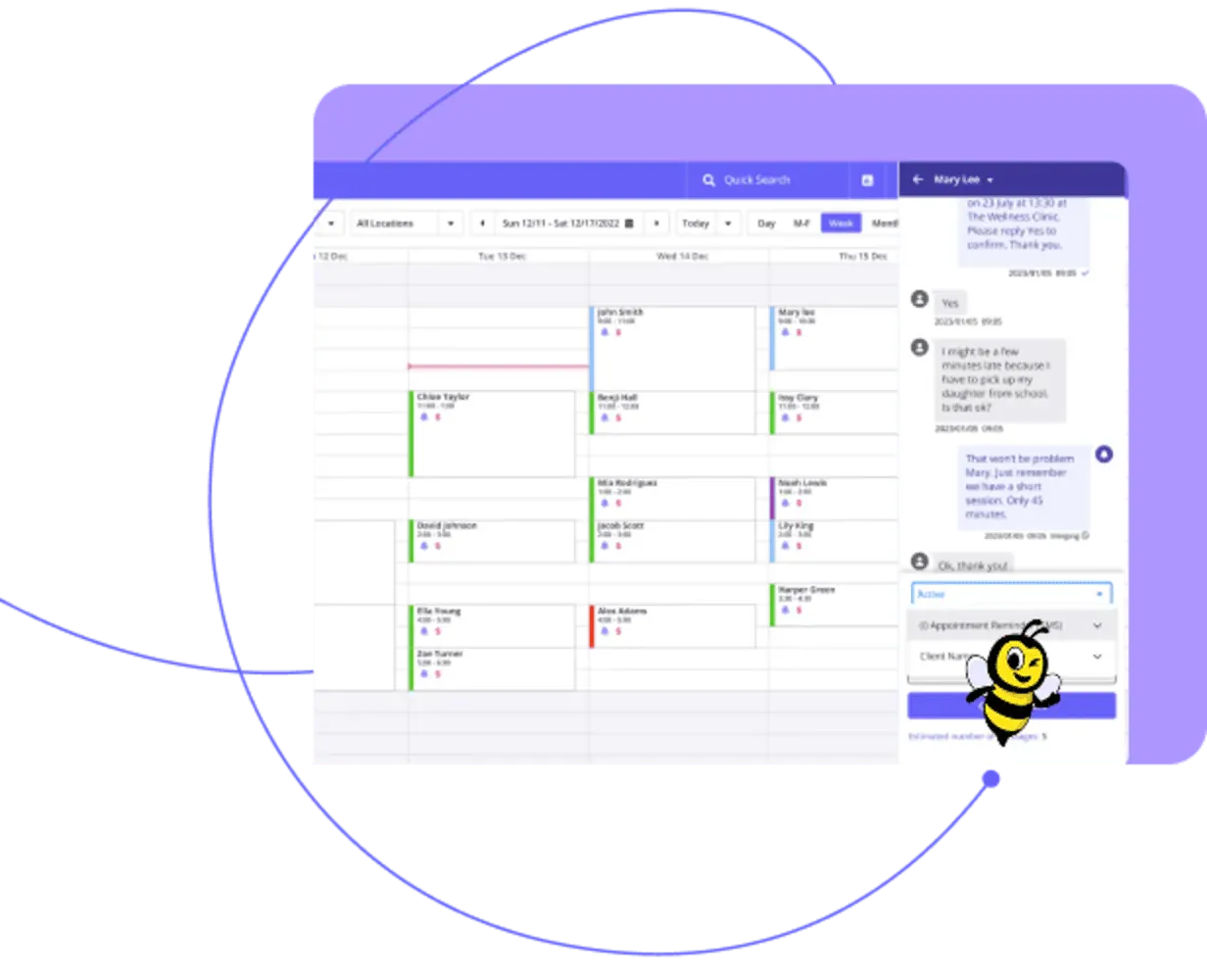
Built-in communication tools, like Zanda’s automated appointment reminders and email and two-way SMS messaging, enhance patient engagement, improve communication between the clinic and patients and enable your team to follow up in a timely manner.

Telehealth video calls
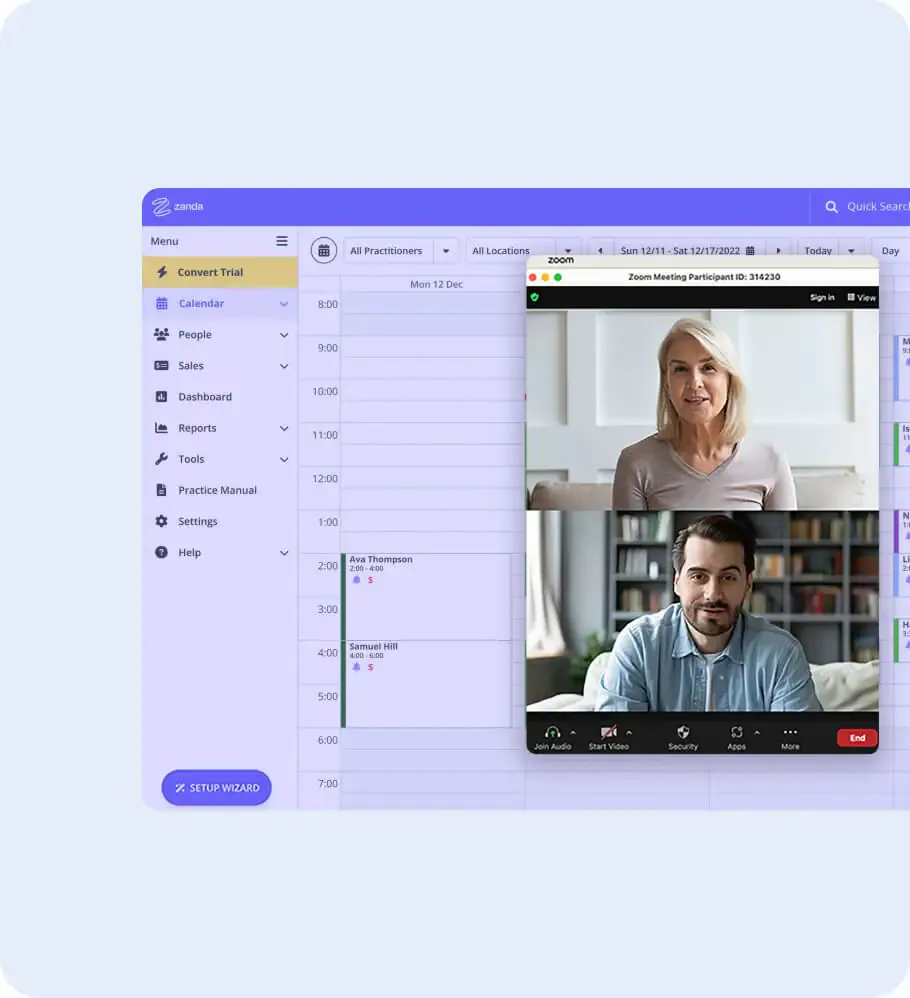
The future of healthcare is digital, and Zanda has you covered! Two end-to-end encrypted video calling solutions allow you to see patients wherever you’re located. Even better, they’re simple to use with no logins or downloads required.

Online Forms
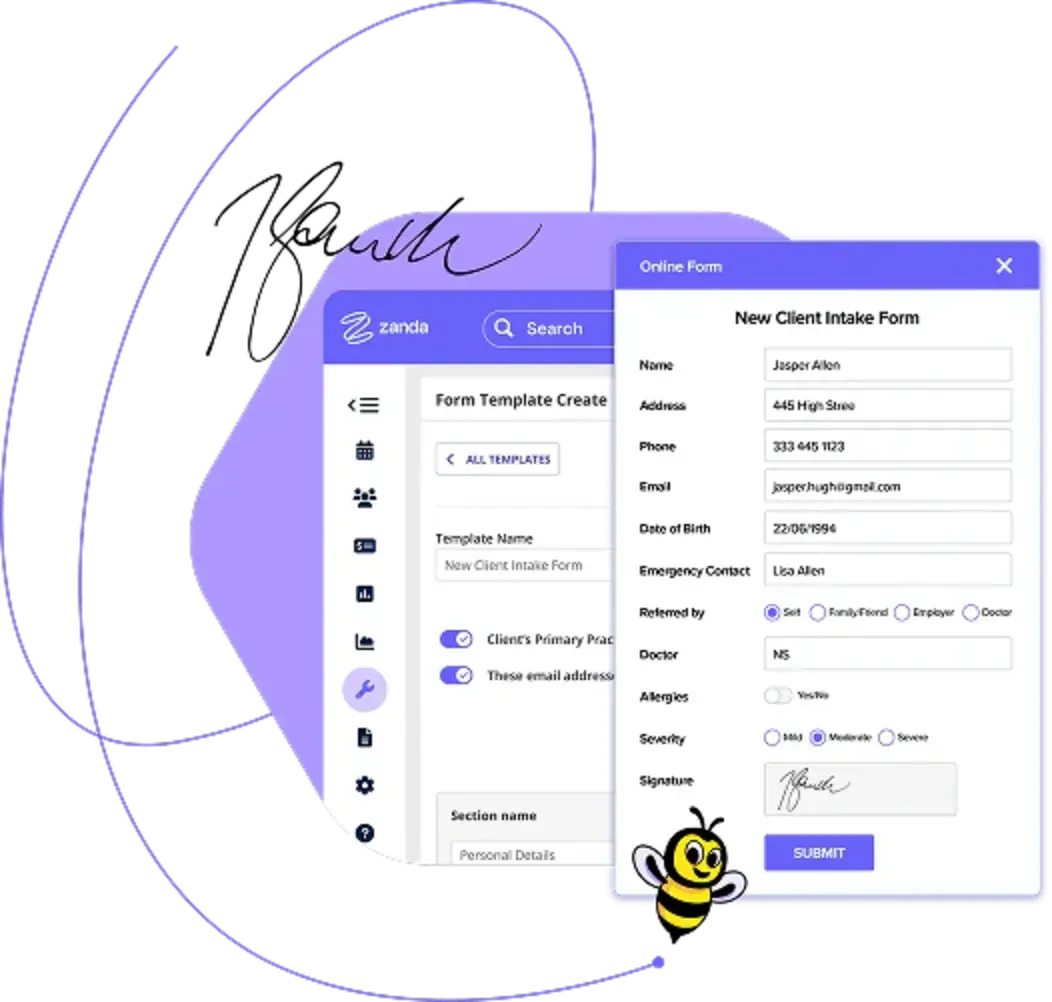
Say goodbye to unnecessary paperwork and tedious data entry when you use online forms that automatically populate your patients’ profiles. Our online forms can easily be modified to suit the requirements of your practice.

Client Management
Zanda’s integrated CRM solution provides a central repository for patient data and easy access to records, including medical history, test results and contact information. This comprehensive view enhances care coordination, improves accuracy, reduces human error and enables you to better manage patient relationships.

Clinical Notes
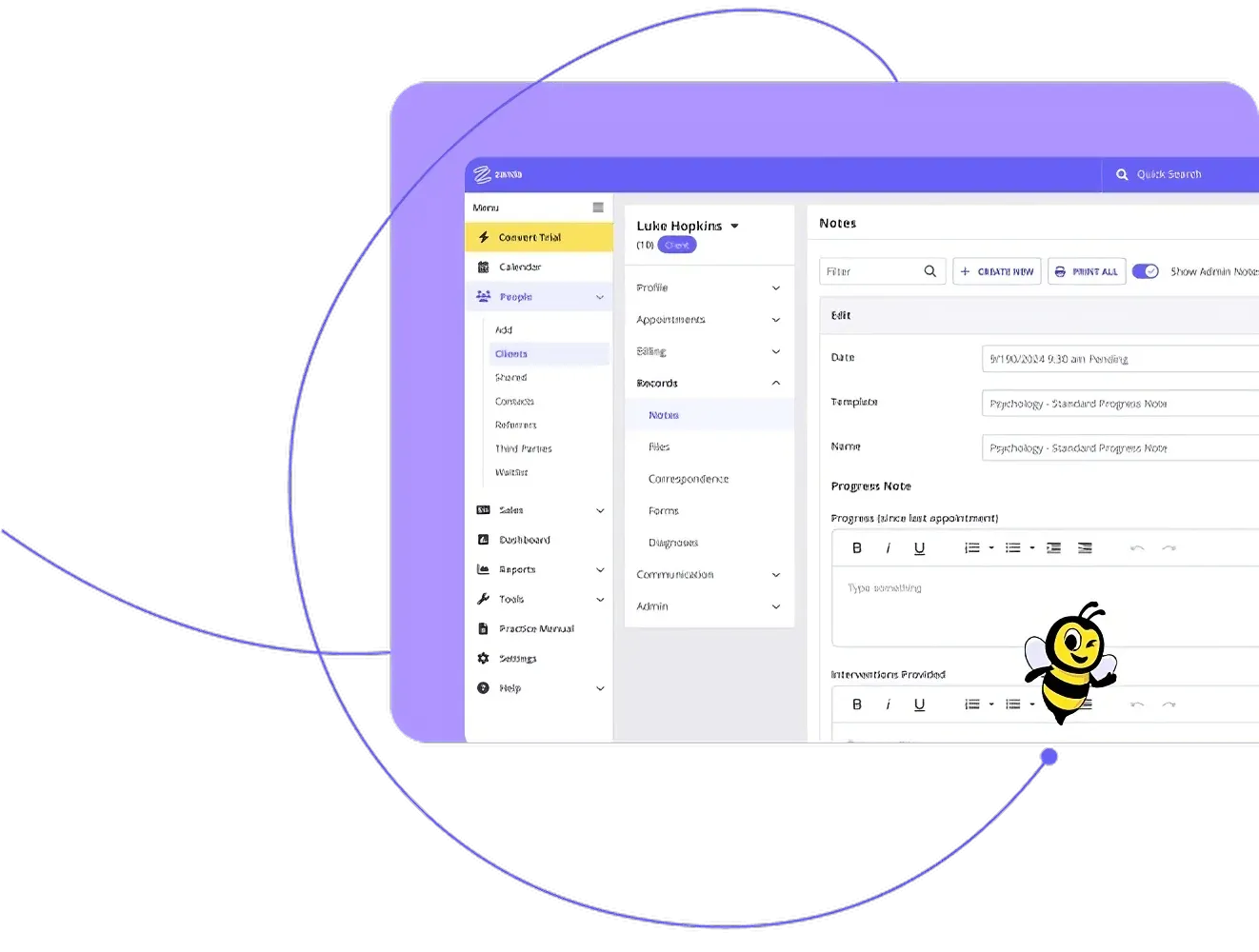
Taking clinical notes is a necessary and often time-consuming task for health practices. With a library of pre-prepared templates, Zanda’s clinical notes feature reduces the burden of paperwork and clinical note-taking.

Online booking
Providing online booking is a simple way to reduce administrative time and book appointments 24/7. Our client portal and online booking system make it easy for patients to book appointments and manage their health records straight from your website.

Payments & Invoices
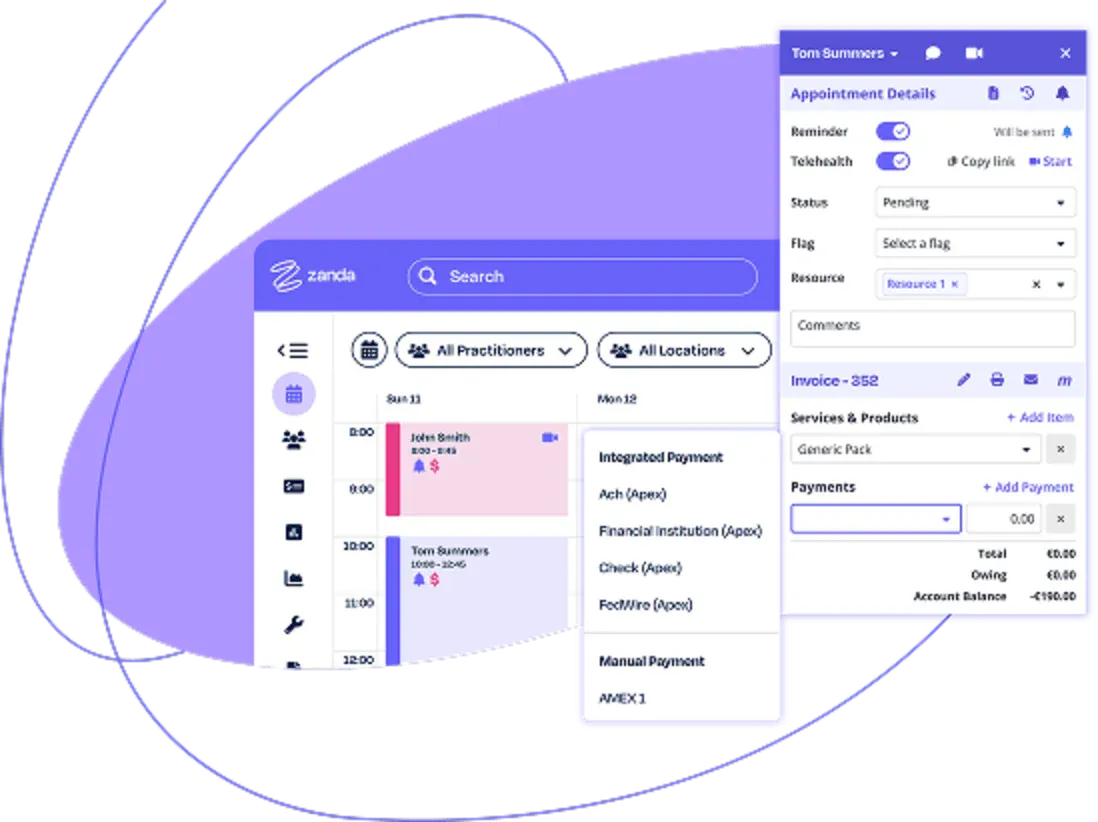
A practice management system simplifies billing by generating invoices based on services rendered, automating payment tracking and facilitating claims processing. Zanda’s integrated payment gateway and invoicing system make invoicing and billing a breeze.

Reporting & Analytics
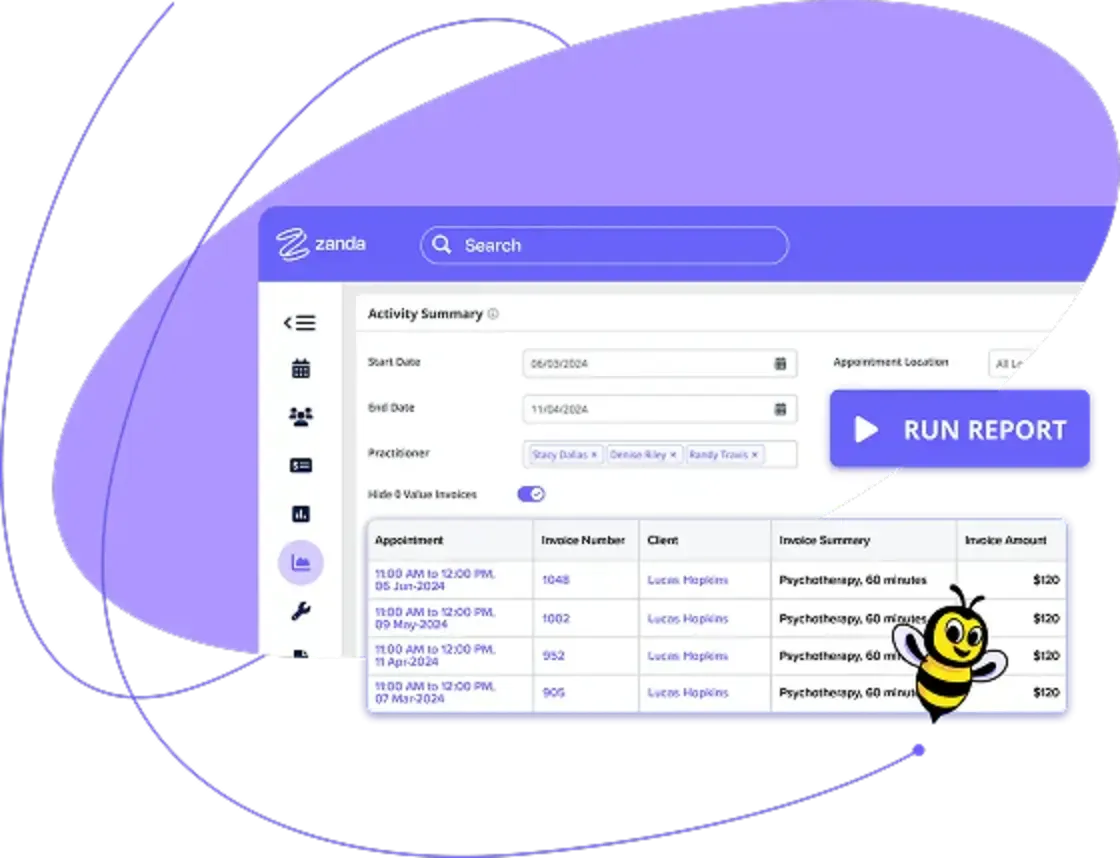
Practice management software provides real-time insights and analytics on practice performance, financials and key metrics. With this data at your fingertips, your clinic can make better-informed decisions, identify areas for improvement and plan strategically for the future. Our system offers over 26 Reports to give you the information you need to manage your clinic.

Robust integrations
The right integrations give you tools to do your work effectively. Zanda integrates with Stripe, Medicare, MailChimp, Google Calendar and more.

Practice operations manual
Zanda’s industry-first Practice operations manual provides your practice with a core set of over 100 policies and procedures that can be adapted to meet the needs of your practice. It’s included in every account at no additional charge!
AI-enabled practice management
Ambient AI scribes are now a standard feature in most practice management systems. BizzyAI: Scribe listens in on the session as it happens and drafts the note in real time, turning a 15-minute task into four minutes. The practitioner presses record, stays fully present with the client, and walks away without hours of notes waiting for them at the end of the week. See our guide to AI consent for allied health practitioners for best practices on disclosing AI use to clients.
How to select the right practice management software
When selecting practice management software for your business, there are a few critical factors to consider:
Security – ISO 27001 Certification
Give preference to software solutions certified in the ISO 27001 standard for information security management.
This certification ensures adherence to the top global standards for the protection and secure handling of data, which provides a reliable foundation for your practice’s confidentiality.
Must-have feature
Before deciding, identify the essential features for your practice. They could include appointment scheduling, patient records management, billing, reports, and an operating manual.
Choosing the key features of a practice management system that align with your most important needs is vital.
Customer support
Investigate the level of customer support the software vendor provides. Look for responsive and knowledgeable support teams that offer training resources and live technical assistance.
With adequate support, the initial implementation stage will be smoother, and you can relax knowing there will be help available if you encounter any bumps along the road.
Price / value for money
Consider the pricing structure of your chosen practice management system, including subscription fees and any additional costs.
Does the platform offer value for money based on the features, functionality and support provided? Is it a suitable investment for your practice’s size and needs?
Customer reviews
It helps to take some time to explore the experiences of fellow healthcare professionals who have used the software.
Their reviews may offer insight into the software’s usability, reliability, and overall satisfaction, which helps you weigh the pros and cons of each platform.
Lock-in contracts
If you need flexibility, think carefully before entering a long-term lock-in contract.
Look for software providers like Zanda that offer no lock-in contracts and a money-back guarantee, allowing you to try the software risk-free before making a final decision.
Cost & pricing
Practice management software costs depend on factors such as how the vendor prices seats, how many locations a practice runs, and what features are included in the subscription price versus an extra cost.
Practice management software pricing models
Per-practitioner pricing bases the bill on practitioners seeing clients, often with administrative staff included for free.
Per-seat pricing charges for every login regardless of role, so a receptionist, a biller, and a practice manager alongside the practitioners all add to the total.
Per-location pricing charges separately for each physical site.
Features that may cost extra
Some software covers basic practice management features, but may charge an additional fee for add-ons. Examples may include:
- Onboarding and setup
- Data migration
- SMS credits and dedicated phone numbers
- Telehealth
- Insurance claiming
- Payment processing fees (card payments usually route through a third-party processor like Stripe, which takes its own cut per transaction on top of the subscription)
- AI scribes and note-taking tools
- Other AI tools
How Zanda pricing works
Zanda prices per practitioner, so front desk staff, billers, and practice managers are complimentary. The Starter Plan covers one practitioner from $29 a month, and the Growth Plan scales per additional practitioner, with unlimited free admin users. Data migration, customer support and AI tools come standard, and add-ons like SMS, telehealth, and payment processing are listed separately rather than folded into a base price.
Our pricing structure may change, so check the current Zanda pricing page for exact numbers.
Transform Your Clinic Today – Start Now & Receive 50% off for the First Six Months!

How (+ when) to implement practice management software
Implementing practice management software is a significant milestone in the growth of any allied health practice. The question isn’t just about how to implement practice management software but also about when to do it. Understanding this timing can be the difference between a smooth transition and a chaotic implementation process.
When to implement practice management software
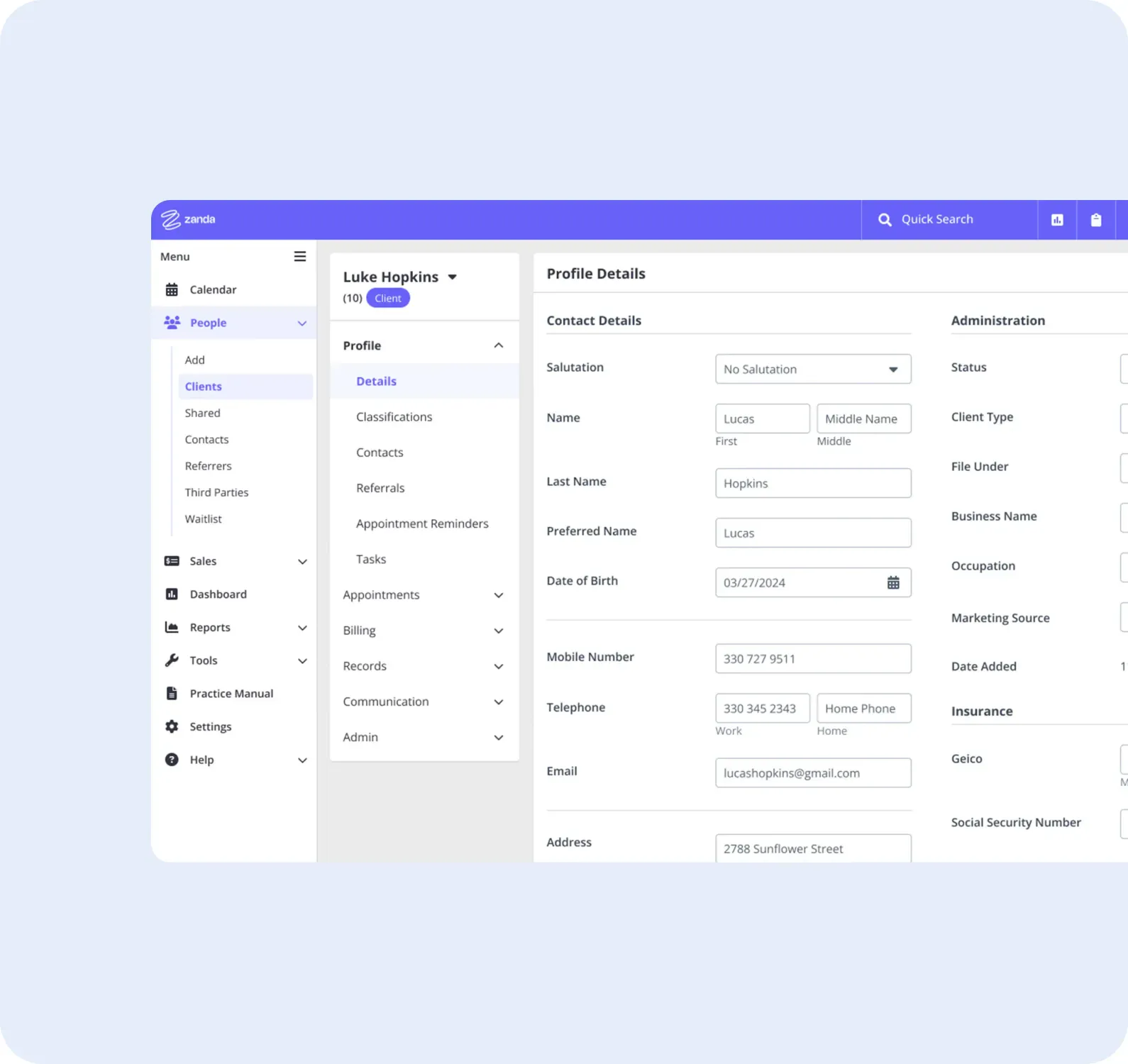
Timing is crucial when implementing practice management software. The best time is before the practice’s administrative tasks overwhelm the staff, impeding their ability to focus on patient care.
If you find that record-keeping, scheduling, billing, and reporting take too much time, consider practice management software. Another indicator is when the practice is experiencing substantial growth.
A practice management system can provide the structure to manage an increased patient load and streamline workflows.
How to implement practice management software
Implementing practice management software involves a few crucial steps:
Analysis
Start by determining the specific needs of your practice. Look at your workflow, and identify pain points and areas that need improvement.
Vendor selection
Research and select a software vendor whose features align with your practice’s needs. Consider factors like features provided, cost, support, data security, and integration capabilities.
Data Migration
Transfer existing patient data and records into the new system. This process must be done carefully to prevent loss or corruption of data. Most software vendors should be able to do this for you.
Testing
Run a series of tests to ensure all features function correctly and data is displaying as it should.
Staff training
Schedule training sessions for your staff to understand and navigate the software. These sessions are vital for successful implementation.
Going live
After testing and training, you’re ready to fully implement the software. Prepare to address any unexpected issues that may arise in the early days. Don’t panic if things feel different at first. Within a few days, you’ll be wondering why you didn’t implement a practice management system years ago!
Common challenges in implementing practice management software
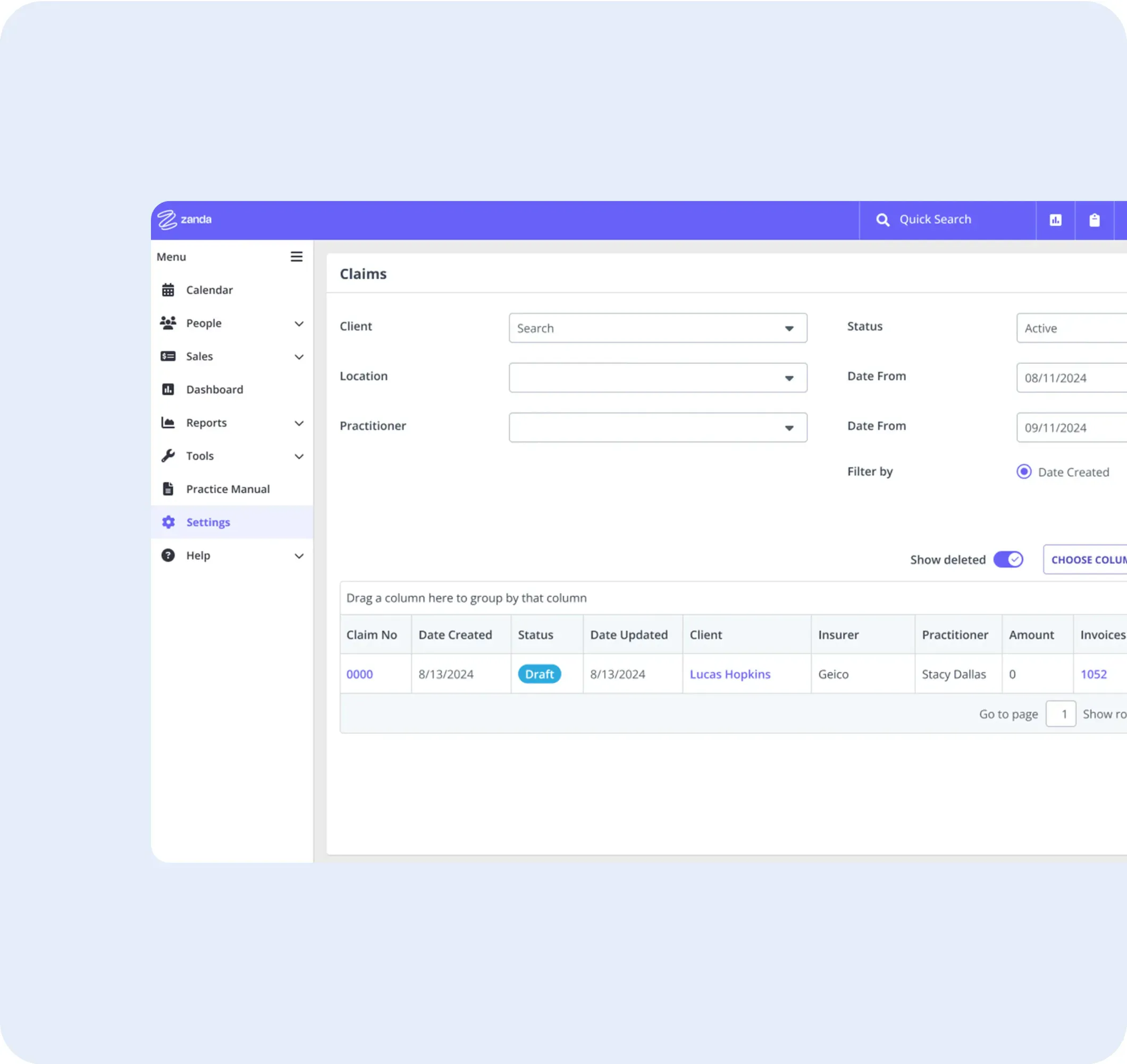
Challenges that some practices may experience when transitioning to a new practice management system include:
Resistance to ChangeEmployees may resist shifting from familiar systems and ways of working to new software. Overcoming this requires clear communication about the benefits of the change and robust training to ease the transition.
Data Migration IssuesThe transfer of existing data can seem complex. Ensure that your vendor offers comprehensive support during this critical stage. Zanda offers free data import services and assistance with this process.
Training and Technical SupportInsufficient training can lead to mismanagement of the system, and inadequate technical support can halt operations when issues arise.
Patient data security for medical practice software
Zanda is not only a leading healthcare practice management platform chosen by practitioners worldwide, it’s also a pioneer in making healthcare data security the highest priority. Our unwavering commitment to security is deeply ingrained in our software development, operations and company ethos. We’ve taken comprehensive measures to address this issue and ensure the protection of patient information.
Global security standards
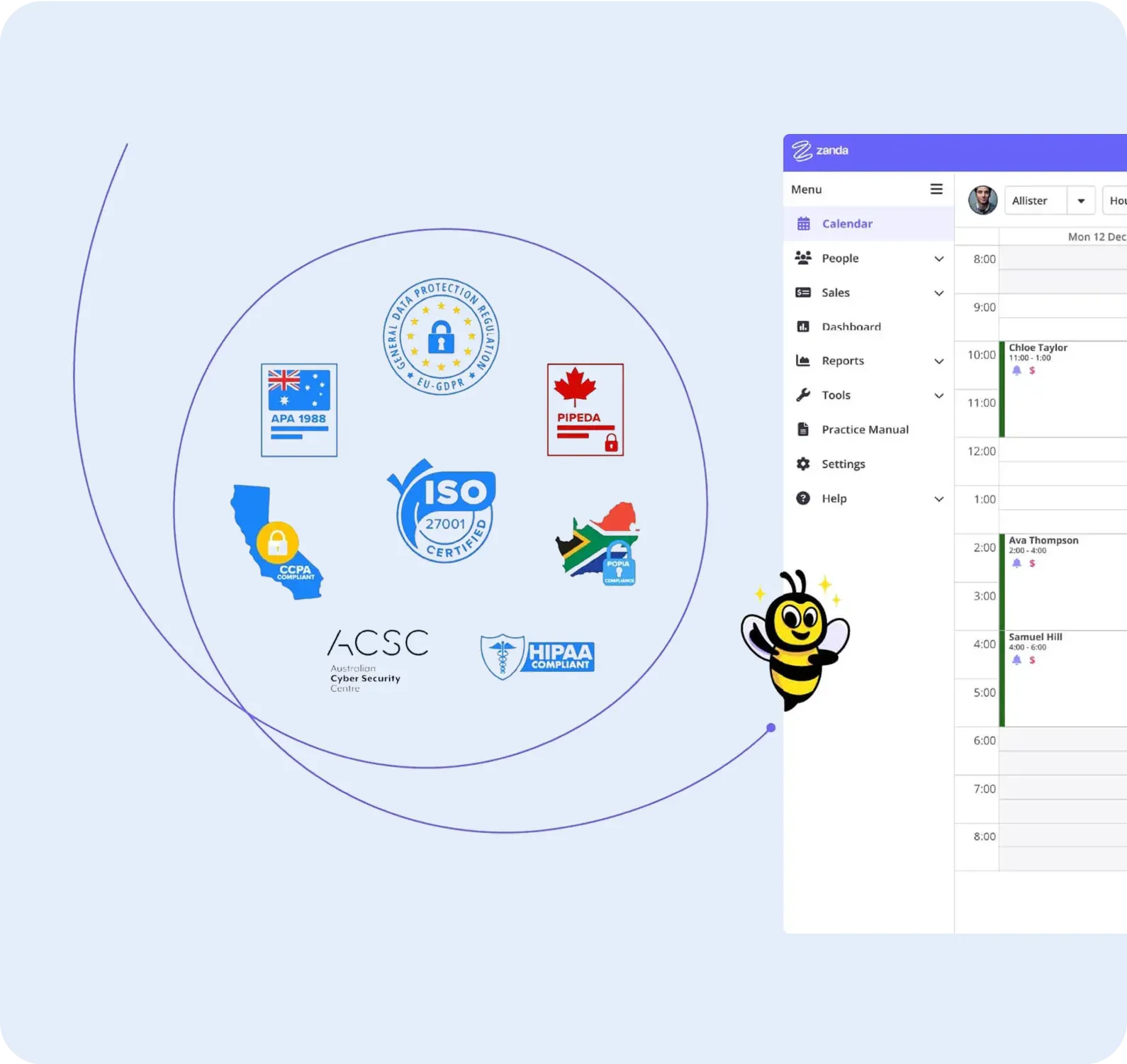
One crucial aspect of our security compliance is that Zanda operates in multiple countries, serving customers from around the globe. We are committed to upholding the highest standards of compliance across the regions we operate in, ensuring that all customers benefit from the highest levels of security. Among the global security standards for practice management software, ISO 27001 stands apart.
ISO 27001 CertifiedZanda proudly holds the ISO 27001 certification, a prestigious international standard that acknowledges our dedication to maintaining the highest global security benchmarks for healthcare data. We are among only a few Practice Management Software systems to achieve this certification, which reinforces our dedication to safeguarding the security of our customers’ health information.
By choosing Zanda, practitioners can rest assured that we comply with international health data security standards and have undergone external verification, assuring adherence to global data security best practices.
Comprehensive data compliance
In addition to ISO 27001, Zanda adheres to and complies with a range of other security and privacy standards to ensure comprehensive protection. These include:
HIPAA
Health Insurance Portability and Accountability Act: This US standard outlines security and privacy requirements for protecting patient health information.
GDPR
General Data Protection Regulation UK & EU: As mandated by the European Union, GDPR sets guidelines for data protection and privacy within the region.
The Privacy Act
Australia: This legislation outlines privacy protections and standards for handling personal information in Australia.
PIPEDA
Personal Information Protection and Electronic Documents Act: As a Canadian standard, PIPEDA governs the collection, use, and disclosure of personal information by private sector organisations.
CCPA
California Consumer Privacy Act: This Californian legislation grants consumers enhanced privacy rights and controls over their personal information.
POPIA
Protection of Personal Information Act: This South African legislation regulates the processing and protection of personal information.
Secure your data
With Zanda, practitioners can trust that their sensitive health data is secure and handled following the most stringent international standards and regulatory requirements.
Why choose Zanda?
Selecting the right practice management software is an important decision, but Zanda covers all of the bases, making it an obvious choice. Here’s why…
Spend less time on admin
Zanda is designed to empower practice owners, practitioners and admin teams to operate efficiently and make the business of running a practice easy – so that you can focus on actually seeing patients.
We aim to reduce time spent on admin with features to help manage schedules, billing, treatment notes, service delivery, operations, and more.

Work from anywhere
Zanda is an online practice management software – so it’s accessible from anywhere. You can use Zanda when working from home on a tablet, checking your schedule from your mobile, or coming to the clinic and using a computer.
Being cloud-based also provides security benefits, and your software is always up-to-date.

ISO 27001 Security Certification
Zanda is one of the only practice management systems to be certified with ISO 27001 – the highest global security standard for healthcare data.
Zanda is also fully compliant with all applicable healthcare data privacy and security laws and frameworks in the markets we serve – allowing practices to rest assured knowing that their patient data is secure.
Create a practice you love
Our software is designed to help make your health practice a joy to manage. By using Zanda, you also join a vibrant community where valuable insights and advice on managing health practices are exchanged.
You also gain access to a wealth of free webinars, tutorials, articles and tools that provide support for growing and managing a thriving health clinic.

Easy Data Migration & Import
When you move to Zanda from another practice management system, we provide a fast and free data migration service to import your existing data without missing a beat.
This can include clients/patients, contacts, referrers, appointments, services, invoices, payments, treatment notes and more. Just upload your files, and let us do the rest.

Unlimited, free support
Zanda’s customer support is best in class, and our team is available by online chat and email 7 days a week, almost 24 hours a day. We take immense pride in providing fast, friendly, and expert support that truly sets us apart.
Plus, Zanda is simple, intuitive and easy to use with no tech skills required. With no software to install, you’ll be up and running in minutes.

FREE Practice operations manual
By using Zanda, you access your own Practice operations manual. This comes with over 100 pre-written policies and procedures that you can easily add to and modify to suit your practice.
It helps ensure you’re meeting the standards of your professional, legal and regulatory obligations, as well as increasing predictability and practice productivity.

Best value for money
Zanda’s goal is to empower health practices, which is why our pricing is designed to be extremely affordable. Whether you’re a solo practitioner or a large, multi-location clinic, Zanda’s pricing is cost-effective and fair.
Start a 14-day free trial (no credit card required!) to see how Zanda creates value and makes a difference in your practice.

Flexibility & Money-Back Guarantee
We don’t believe in lock-in contracts. With Zanda, you can upgrade, downgrade, or cancel at any time. You own your data and you can export whenever you choose.
You can start with a free trial, but after that we also provide a Money-Back Guarantee so if you decide Zanda isn’t right for you, we’ll refund 100% of your subscription fees.
See what practitioners are buzzing about
What features should I look for when choosing practice management software?
Some of the main features to look out for when comparing practice management software features are;
SMS appointment reminders, Telehealth, treatment notes, client intake forms, client booking portal, waiting list, letter and email templates, invoicing and billing, practice operations manual, and externally verified security certifications such as ISO 27001.

Does your practice need practice management software?
If you’re serious about running and growing a sustainable and professional health clinic, practice management software is practically essential. But you might not need it right from the start. Here are some indications that your health clinic needs practice management software:
- You have more than a handful of appointments per week
- You spend more than an hour on admin per week
- You want to set your clinic up to provide a professional patient experience right from the start – with online bookings, automated appointment reminders, online intake forms, etc
Typically, if you can answer ‘yes’ to any of these questions, using a practice management system will be a valuable investment that will ultimately save you money and help you operate your practice in the best way possible.

How do I know my practice management software is secure?
The best way is through actual certification in global security standards.
In the realm of practice management software, the most important global security standard is ISO 27001 and achieving this standard means that the software, and the company behind the software, are tested and verified against international standards, as providing the highest levels of security.
How Zanda compares to competitors – better price, better security, better customer service
You’ll find no shortage of options when it comes to practice management software. However, Zanda stands head and shoulders above the rest due to its incredible functionality, competitive pricing, exceptional security measures, and unparalleled customer service.
Our software is designed for practitioners by a practitioner. This translates into a user-friendly and intuitive platform packed with features that make your job easier. We are proud to have happy customers worldwide, and their outstanding feedback, combined with our longevity in the industry, speaks to the quality of our software.
An unbeatable price

Fair pricing
At Zanda, we believe in providing high-quality, reliable service without breaking the bank. That’s why our pricing structure is based on the number of practitioners using your account, ensuring that you aren’t paying for services you don’t need.
All-inclusive plans
While many platforms tier their pricing models based on feature availability, with Zanda, you get access to all features, regardless of your plan level. Pricing plans and SMS costs are clearly communicated on our pricing page. What you see is what you get with Zanda.
*Remember, free practice management services might seem attractive, but they could be selling your data. With Zanda, your data is yours and yours alone!
Why choose cloud-based practice management software?
Are you deciding between a cloud-based or on-premise practice management system? There’s a lot to consider but for many reasons, cloud-based software like Zanda offers numerous benefits like easy setup, reduced maintenance costs, seamless integrations, and accessibility from any device, anywhere with an internet connection.
Cloud security
Some people worry about the security of cloud-based practice management systems, but the reality is that online systems actually offer far more security than locally installed counterparts.
Automatic updates
With online systems, updates and backups are handled automatically, ensuring that your system is always up-to-date and your data is secure.
Disaster protection
Plus, issues such as theft of computers or devices, fires, floods and other disasters, and hardware failures are greatly reduced.

Seamless compatibility
What’s more, you won’t have to worry about compatibility issues as our software works across different devices and operating systems.
Access anywhere
You can comfortably access your practice management system whether in the clinic on a laptop, at home on a tablet, or in between places on your mobile.
Enhanced flexibility
This flexibility greatly enhances the experience of operating a health practice.
Migrating data from another practice management system
If you’re moving from one practice management system to another, you may be wondering if you need an IT team to assist!

Seamless migration
The complexity of each migration differs, but a good practice management software company will make the transition easy.
Seamless migration
The complexity of each migration differs, but a good practice management software company will make the transition easy.
Zanda provides a fast, free and comprehensive data import service which sets us apart from other software. Our dedicated team stands by customers, providing guidance throughout every step of the process, eliminating the need for IT assistance on your end.

Expert data handling
Once you’ve chosen Zanda, our team joins forces with you to provide guidance and assistance throughout the process of moving to the system.
Expert data handling
Once you’ve chosen Zanda, our team joins forces with you to provide guidance and assistance throughout the process of moving to the system.
You simply upload your existing data files (we help you access these), and our Data Import team starts work on getting the data ready for import. This team has expertise in handling and manipulating data, regardless of the complexity. So far, we’ve yet to encounter a data migration task that we couldn’t work with!

Comprehensive onboarding
At the same time, the Customer Success team guides you in configuring your Zanda account, setting up users, calendars, practitioner availability, services, client portals, and more.
Comprehensive onboarding
At the same time, the Customer Success team guides you in configuring your Zanda account, setting up users, calendars, practitioner availability, services, client portals, and more.
Our team can also provide training to your team members as needed, ensuring they’re confident and ready to use Zanda once the data import is complete.
Our primary mission is to provide a seamless transition with no stress! See more about our data import process here.
FAQs
Practice management software refers to a type of software system that helps healthcare and medical practices streamline their operations. It typically runs and houses; appointment bookings, patient records, treatment notes, Telehealth video calls, online client portal, invoices, payments, reporting, a practice operations manual and more.
Practice management software helps streamline and automate various administrative and clinical tasks within a healthcare practice. It manages crucial aspects such as appointment scheduling, maintenance of patient records, billing, reporting, and even patient communication. By using practice management software, healthcare providers can improve efficiency, reduce manual paperwork, enhance patient care, and ultimately save time and resources.
Yes, practice management software can often be integrated with other healthcare technologies. Zanda, for example, is designed to seamlessly integrate with a variety of other systems. These include popular platforms such as Xero, Stripe, Physitrack and Mailchimp. These integrations help to create a comprehensive, all-in-one solution for managing all aspects of a healthcare practice, increasing efficiency, and creating a smoother workflow.
Practice Management Software (PMS) supports nearly every part of a healthcare practice, from client registration to billing and accounting. The main purpose of PMS is to streamline administrative tasks and make practice management easier. It improves efficiency by integrating functions like appointment scheduling, billing, and client registration into a single platform. This saves time and reduces errors associated with manual entry. PMS also enhances client communication through automated reminders and messaging features. It supports clients so they’re more engaged and informed about their healthcare. Equally important, PMS offers data-driven insights, allowing healthcare practices to make informed decisions based on trends and financial performance. This capability to easily analyze and interpret data is critical to optimizing practice operations.
There are many Practice Management Software (PMS) solutions available for allied healthcare. At a broad level, these can be classified into Electronic Medical Records (EMR) and Electronic Health Records (EHR). While both systems are designed to store patient information digitally, EMRs are focused on the medical data and history of clients within one practice. On the other hand, EHRs are designed for sharing client information across different healthcare organizations. Beyond this, PMS solutions vary in terms of functionality, with some offering specialized features like telehealth, which has become increasingly important as a flexible care option. There are also all-in-one systems that not only include EMR/ EHR functionalities but also integrate billing, scheduling, and communication tools, offering a comprehensive platform for practice management. On the other hand, there are more basic systems that focus on specific aspects of practice management, like software designed just for clinical notes.
The integration of Practice Management Software (PMS) into healthcare operations can enhance client care. By automating administrative tasks, PMS frees up healthcare professionals to spend more time with clients, leading to better healthcare outcomes. Efficient record-keeping is another critical feature of PMS that contributes to improved care. With all client information stored in a centralized system, healthcare providers can easily access comprehensive client histories. PMS also streamlines appointment scheduling and management, reducing wait times and enhancing the client experience. On top of these benefits, the software’s communication tools play a vital role in client care. By facilitating efficient communication between healthcare providers and clients, PMS keeps clients well-informed about upcoming appointments. This improved communication can improve adherence to treatment and overall satisfaction. Overall, the use of PMS in healthcare settings leads to a more organized, efficient, and client-centered approach to care delivery.